

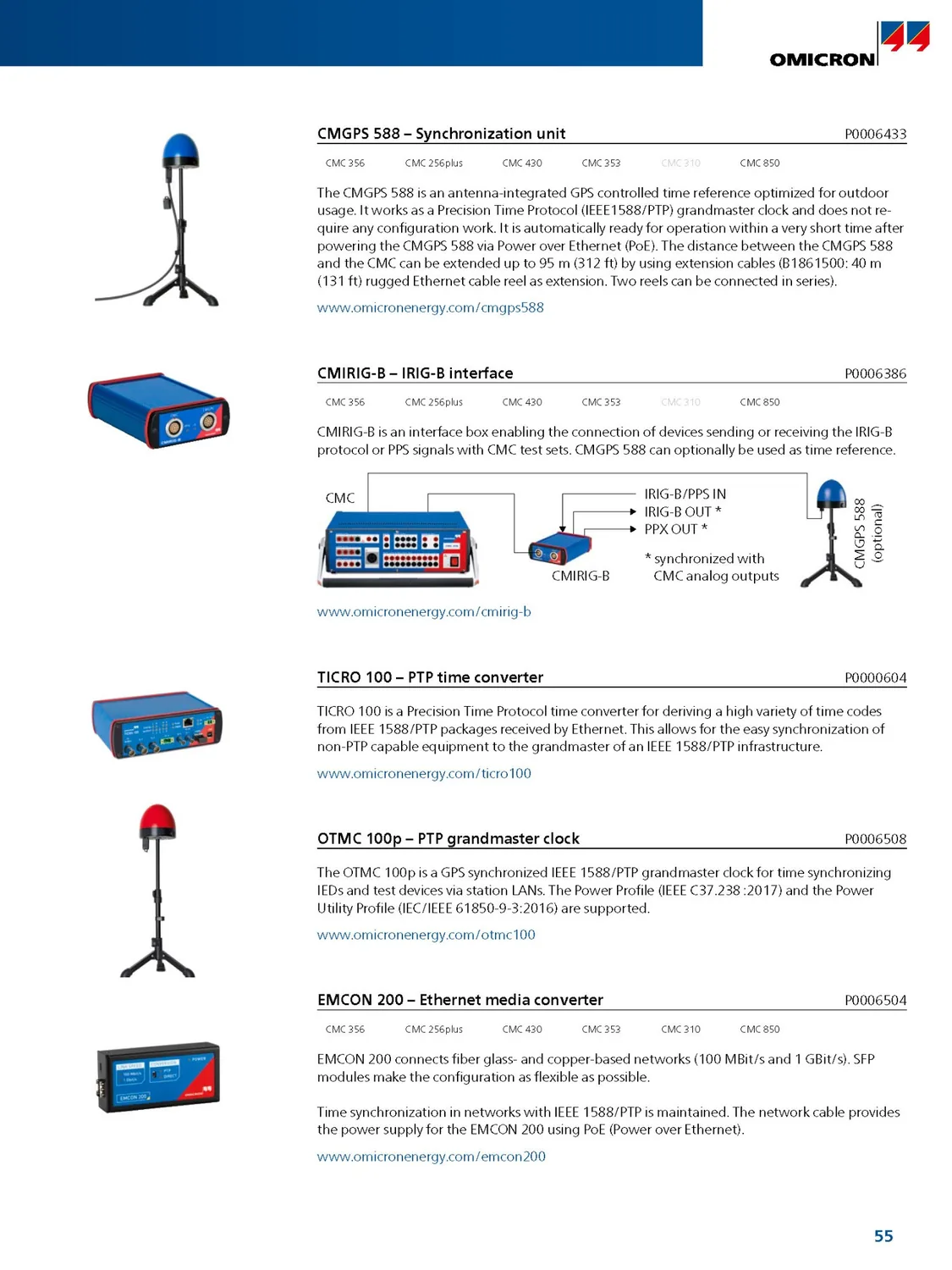
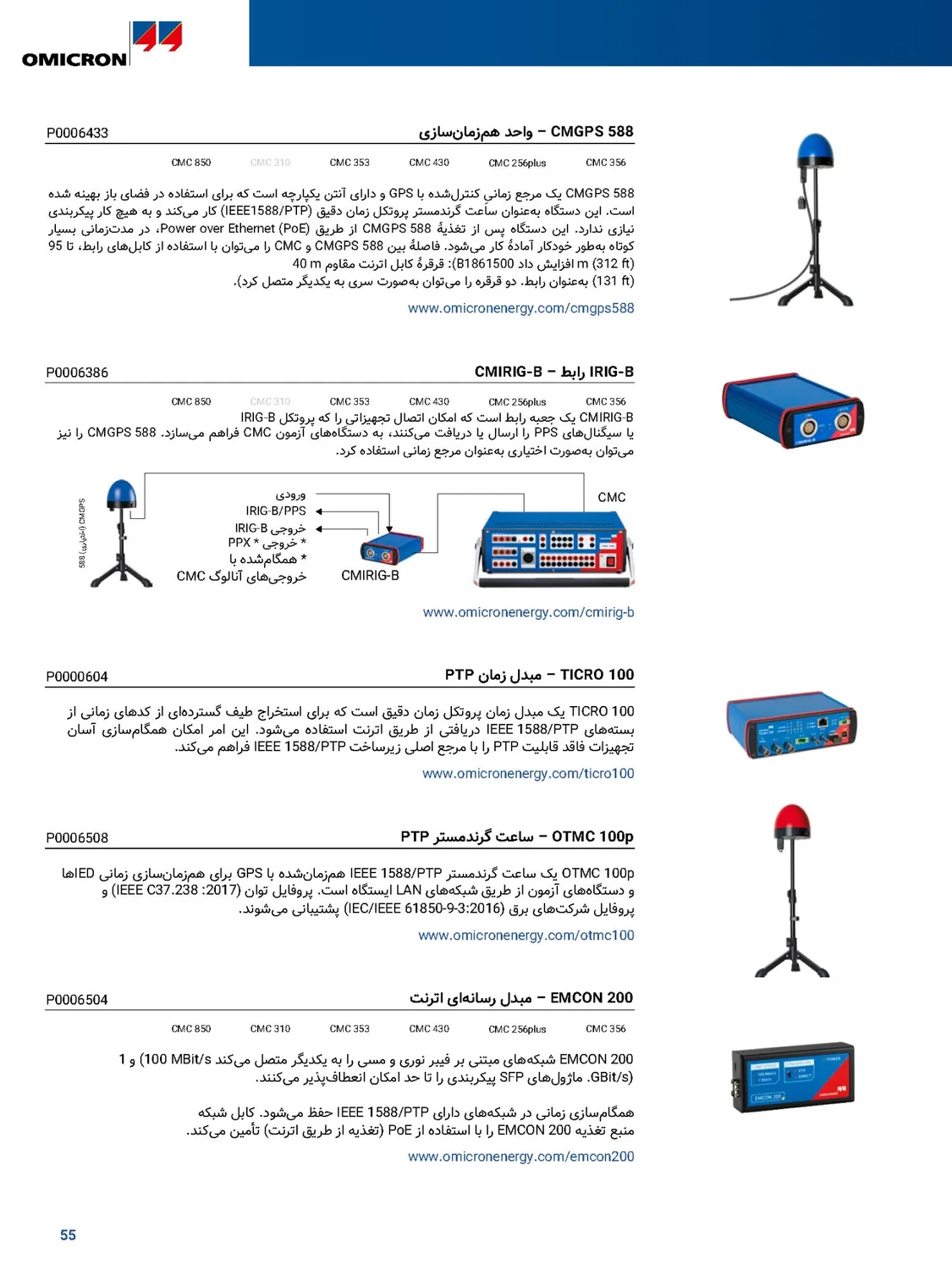
Why is a catalogue the hardest document to translate?
In a catalogue the text is spread over dozens of small boxes: beside a photo, under a chart, in table cells and in the small notes at the foot of the page. Translating "the text" on its own doesn't work, because every piece is tied to its place on the page:
- Specification tables: every figure belongs to one row and one column, and moving it changes the product's specification.
- Chart and wiring-diagram labels: they have to be translated on the figure itself, not under it.
- Model names, order codes and part numbers: the smallest change means a wrong order.
- Notes and footnote marks (¹, ², *): they have to stay behind the same value.
- Into Persian or Arabic the whole page is mirrored: columns read from the right and photos move to the other edge.
A translation office usually delivers the text in Word and the layout is the designer's job again; online translators translate copied text and the tables are often lost. Either way the catalogue has to be laid out again, and again with every new edition.
What stays as it is in a catalogue?
Before translating, know what must stay exactly as it is, so you can check it quickly afterwards:
- Product, model and brand names, such as CMC 356 or AMT 105
- Order codes and part numbers, with all their hyphens and dots
- Figures, tolerances and units such as V, A, Hz and kW, with no conversion and no rounding
- The names of standards, such as IEC 61850
- Software menu and button names, when users see them under that name on the device's screen
And things that must be translated, but the same way everywhere: feature and module names, table headings, and terms your company has its own equivalent for. If "test plan" comes out two different ways on two pages, readers will think they are two different things.
Translating a catalogue with Goftito, step by step
-
Upload the final PDF
The PDF you made for print or for your website is the best file. If you have the catalogue in Word or PowerPoint and want to edit the translation, upload that; the result comes back in the same format.
-
Choose the technical mode
This mode translates each word with the established term of its industry, not word for word. Choose your own glossary for the translation too.
-
Decide what happens to the pictures
In a PDF, charts, diagrams and explanatory figures are translated, and software screenshots and logos stay as they are by default. You can change that for the whole document before it starts, and for each picture once it is done.
-
The translation checks itself
Each passage is translated as a whole, then figures, codes and addresses are compared with the source, and a passage with a problem is repaired automatically before delivery.
-
Get the catalogue back with the same pages
The page itself is edited: backgrounds, colours, photos and logos are the original files and the translation takes the place of the original text. Into Persian the columns and photos are mirrored, but logos and photos are never flipped.
A real example: three pages of a test-equipment catalogue
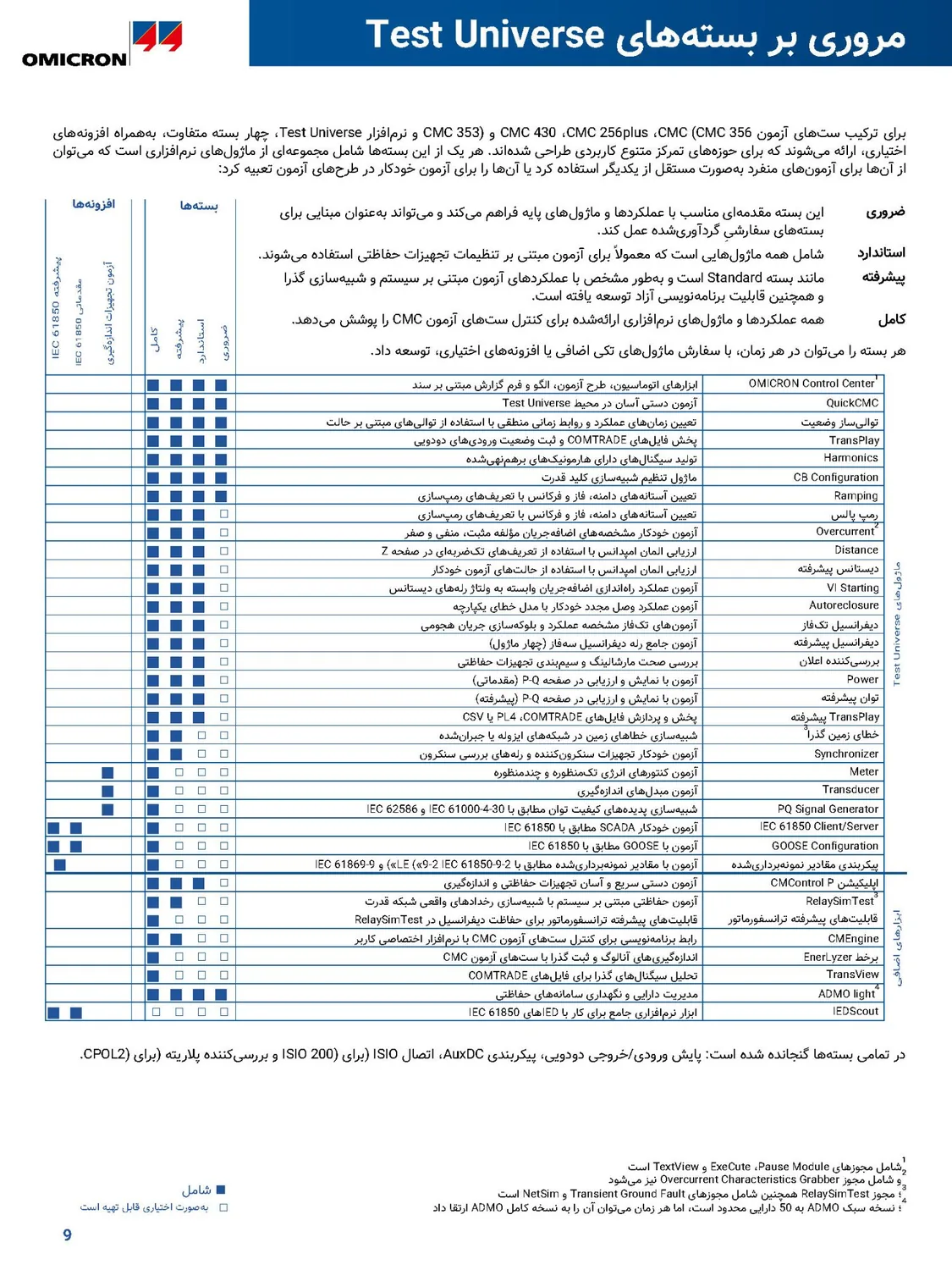
These pages are exactly what Goftito delivered for an English catalogue of electrical test equipment. Drag the handle on each page: the software package table with its columns of marks, a specifications page with its charts, and the table of contents with its dot leaders and page numbers.
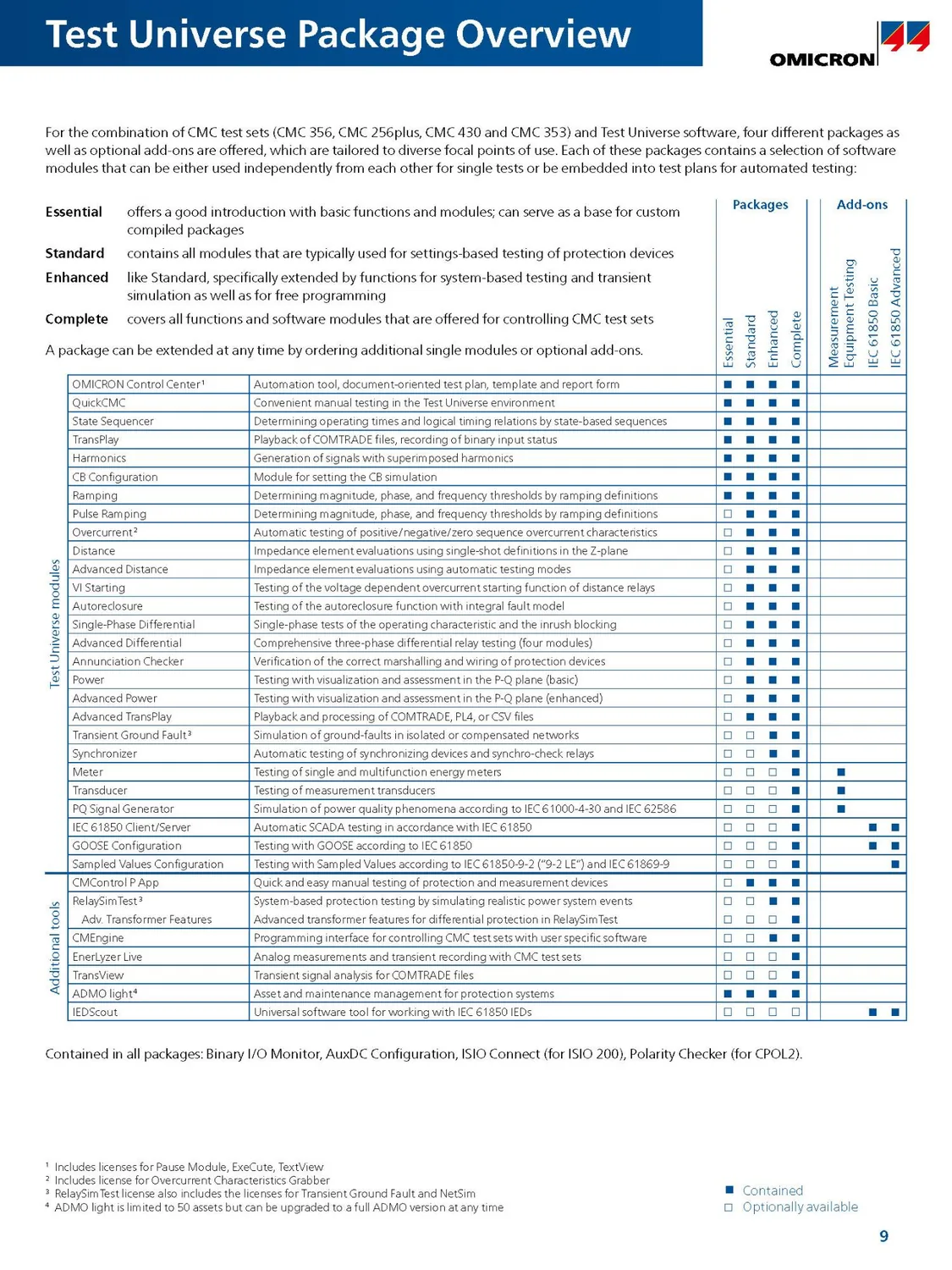
 English
Persian
The software package table of a PDF catalogue: the columns of marks moved to the left, every module's description is in Persian and set right-to-left, and every mark stays in its own row.
 English
Persian
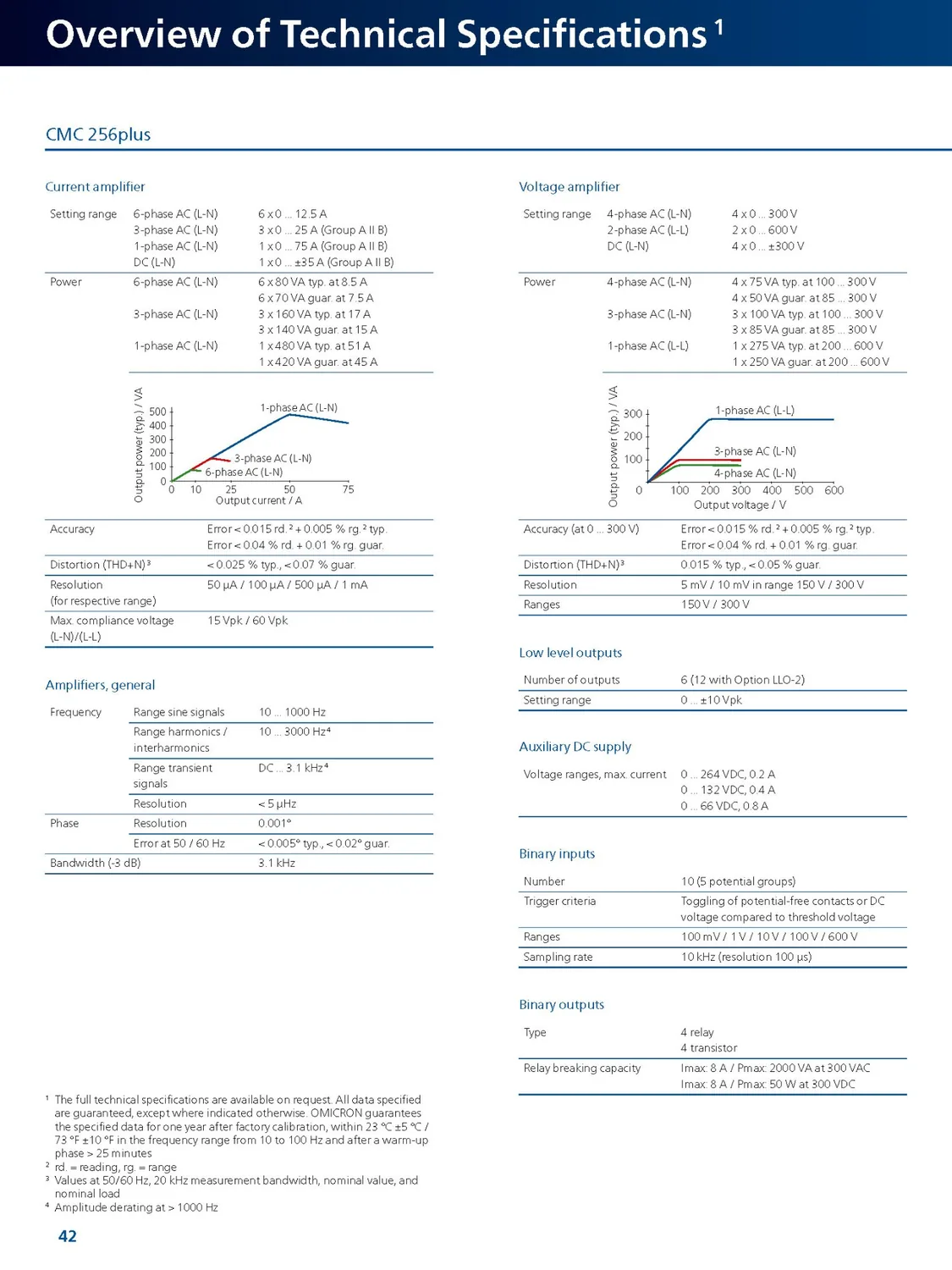
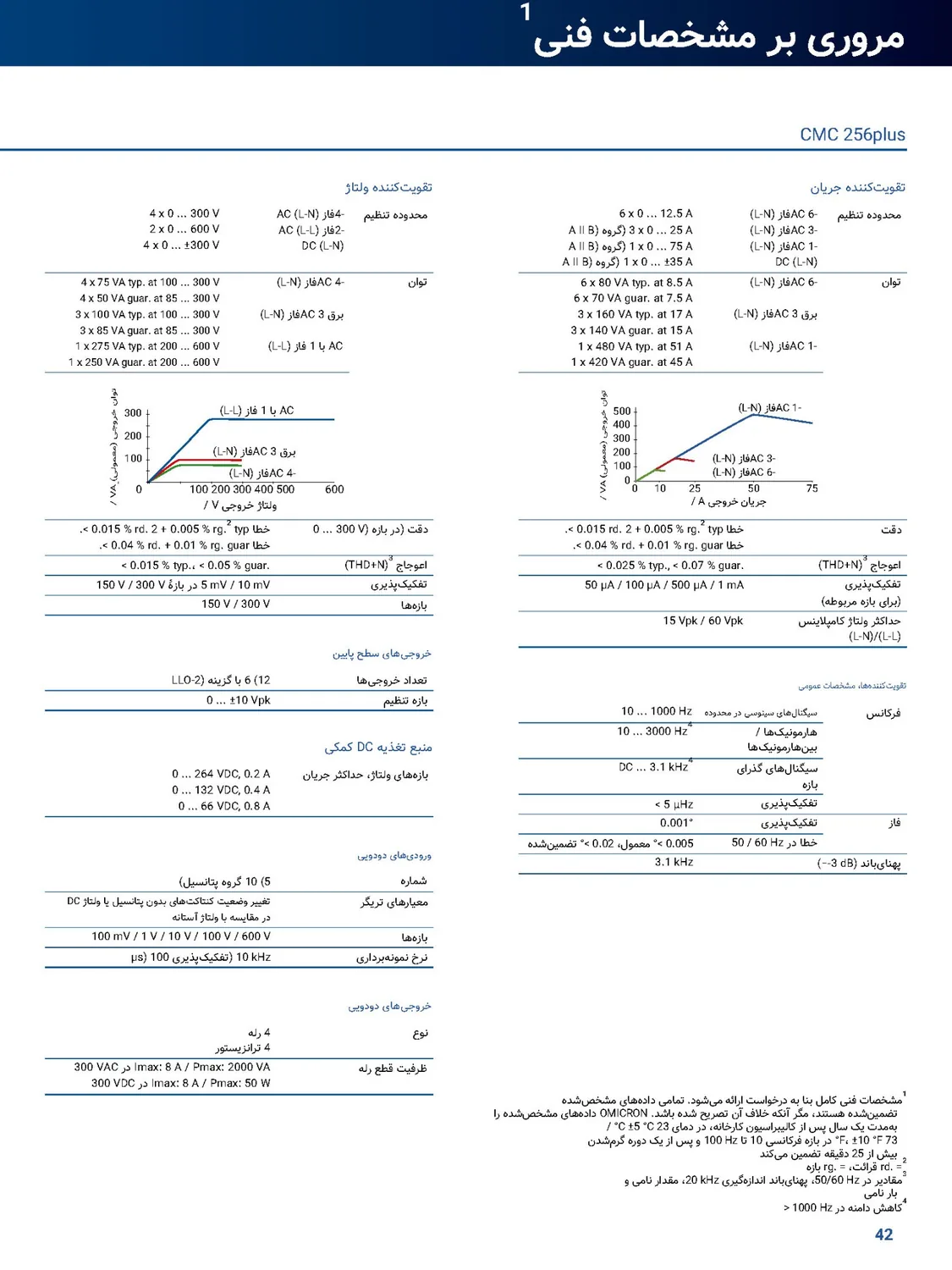
A technical specifications page from a PDF catalogue: the two columns swapped sides, the charts' axes and labels are in Persian, and every figure and unit is unchanged.
 English
Persian
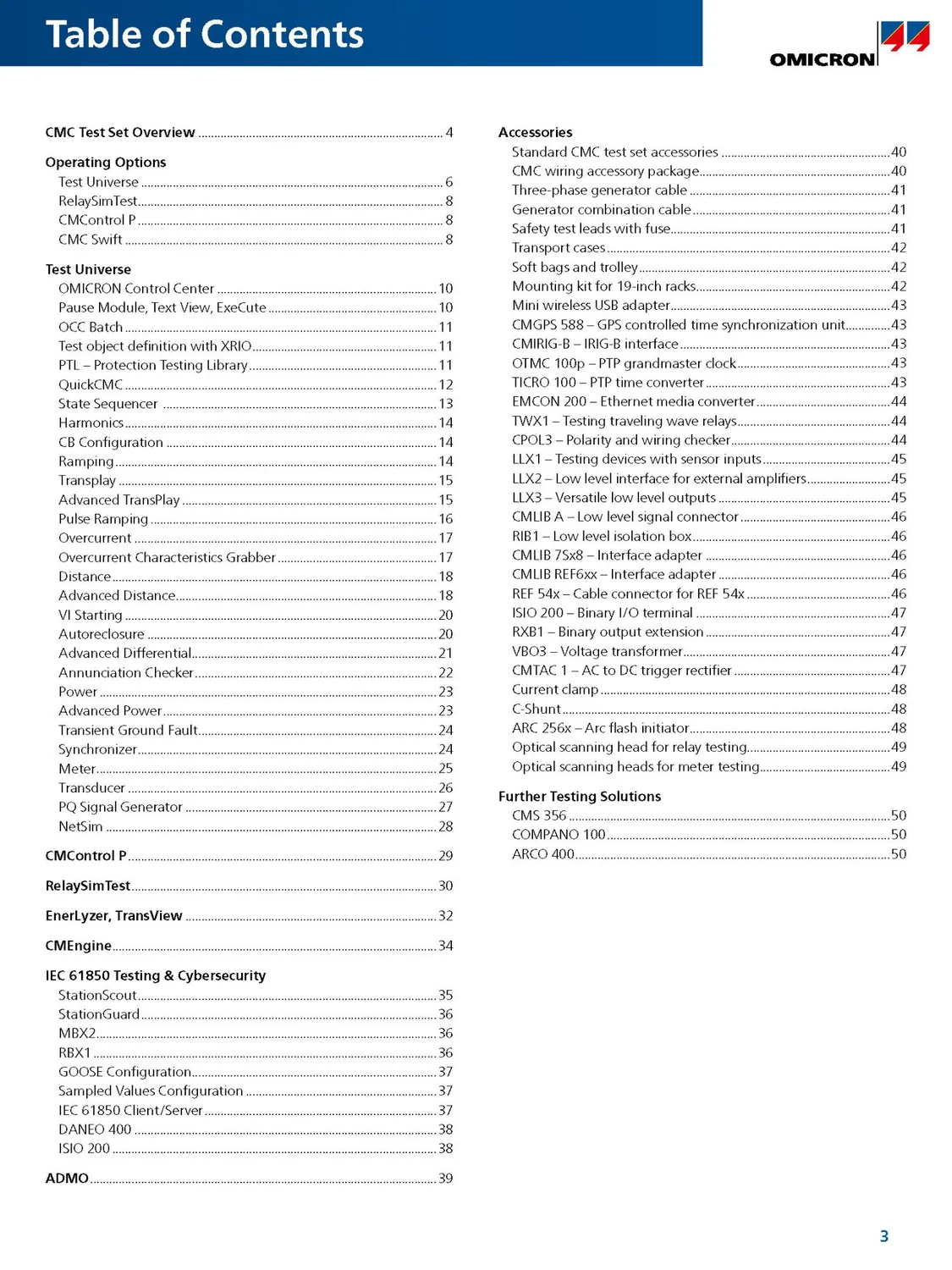
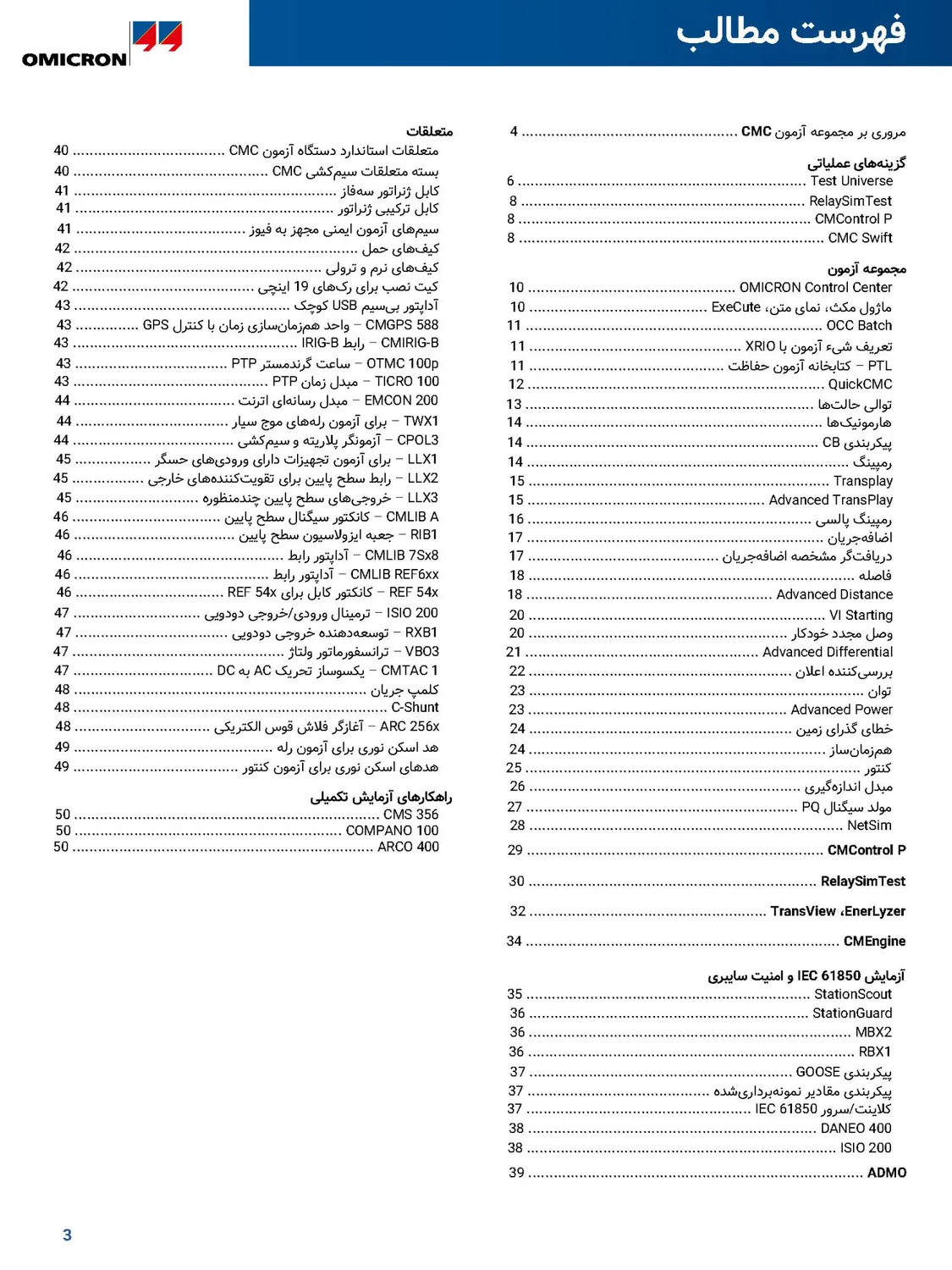
The table of contents of a PDF catalogue: the sections start in the right-hand column, the page numbers moved to the left edge, and product names are kept as they are.
Before printing: a catalogue checklist
- Model names and order codes: compare a few codes with the original.
- Specification tables: compare the figure and unit of a few rows with the original.
- Notes: is every footnote mark still behind the same value?
- Pictures: are the chart labels translated, and the screenshots left the way you wanted?
- Terms: does each feature have the same name on every page?
- Pages: a longer translation is set a little smaller, and if it still doesn't fit it continues on an added page; look at those pages before printing.