
DOCUMENT TRANSLATION

PDF, Word, PowerPoint translated in the same layout.

A PDF comes back as a PDF, and Word and PowerPoint files as the same editable files. Tables, images, formulas and footnotes stay where they were, and when the reading direction changes, table columns swap and pictures move to the other edge.

Made for
  • Catalogues and brochures
  • Scientific papers and theses
  • Manuals and technical notes
  • Contracts and official documents
  • Presentations and slides
  • Reports and proposals
  • Detailed tables
  • Scanned documents
BEFORE AND AFTER

Real output, not a mock-up

These pages are exactly what Goftito delivered; the Word files were opened in Word itself. Drag the handle to compare the source with the translation.

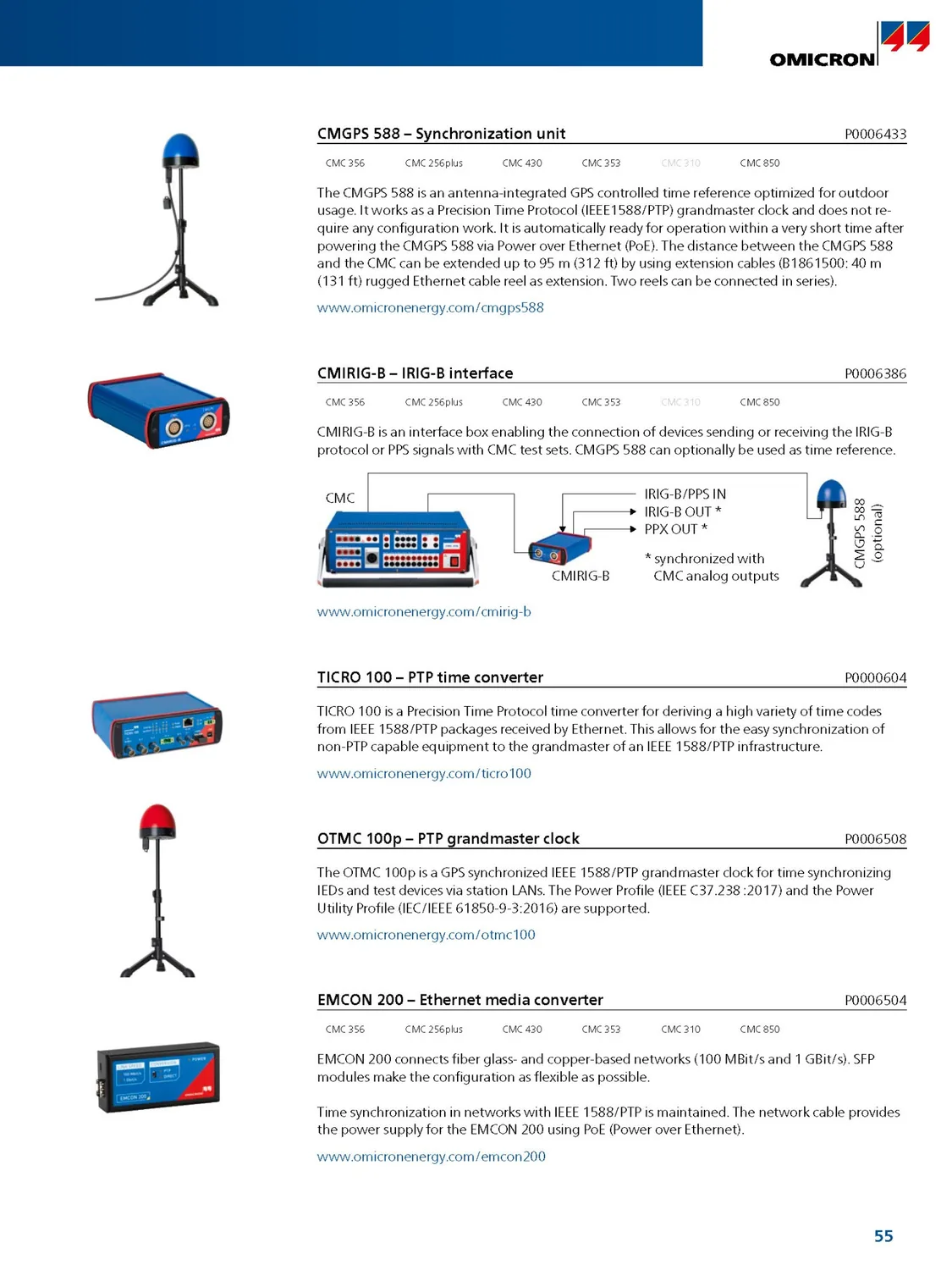
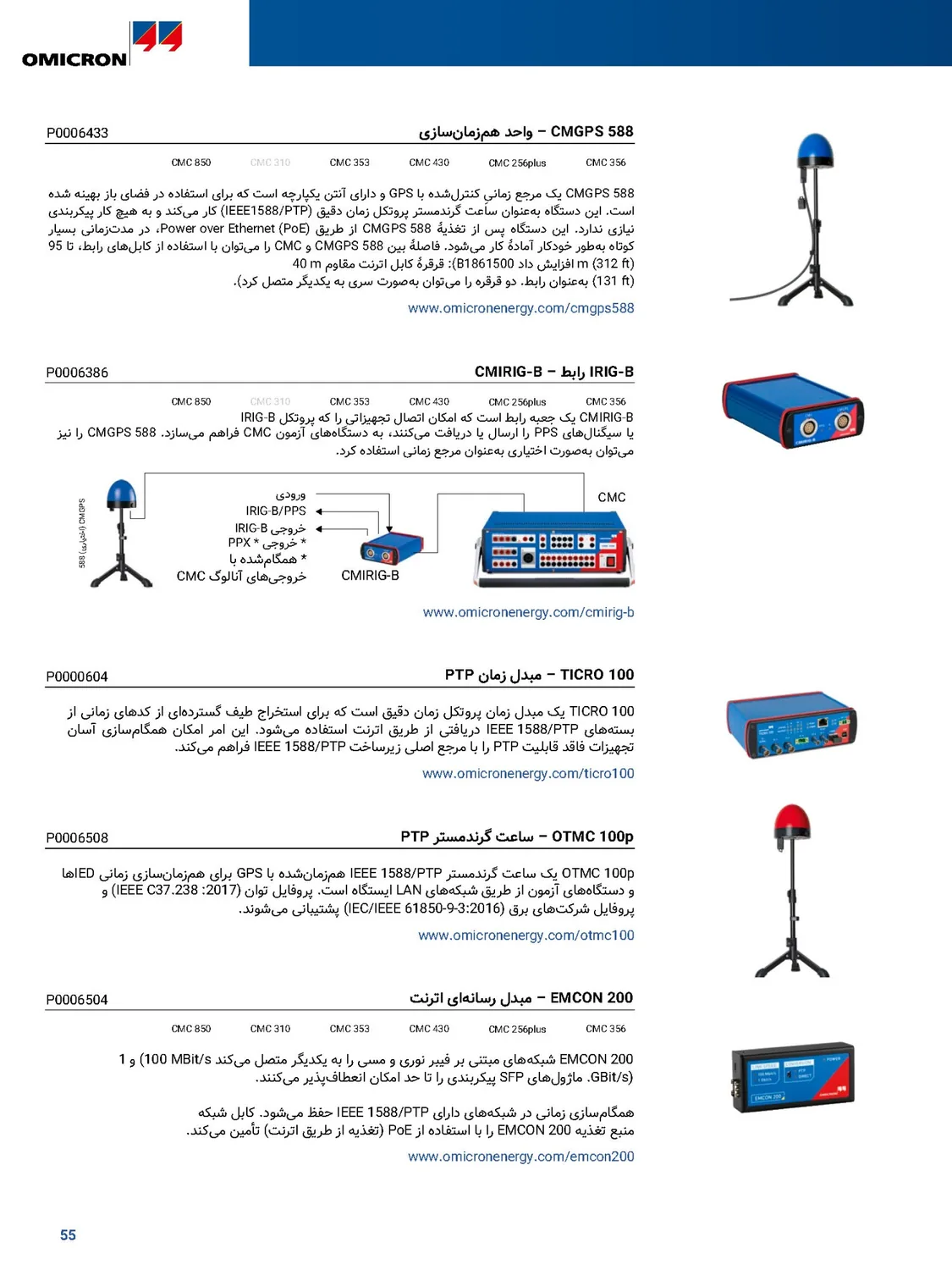
The original page in English The same page translated into Persian Original · English Translation · Persian
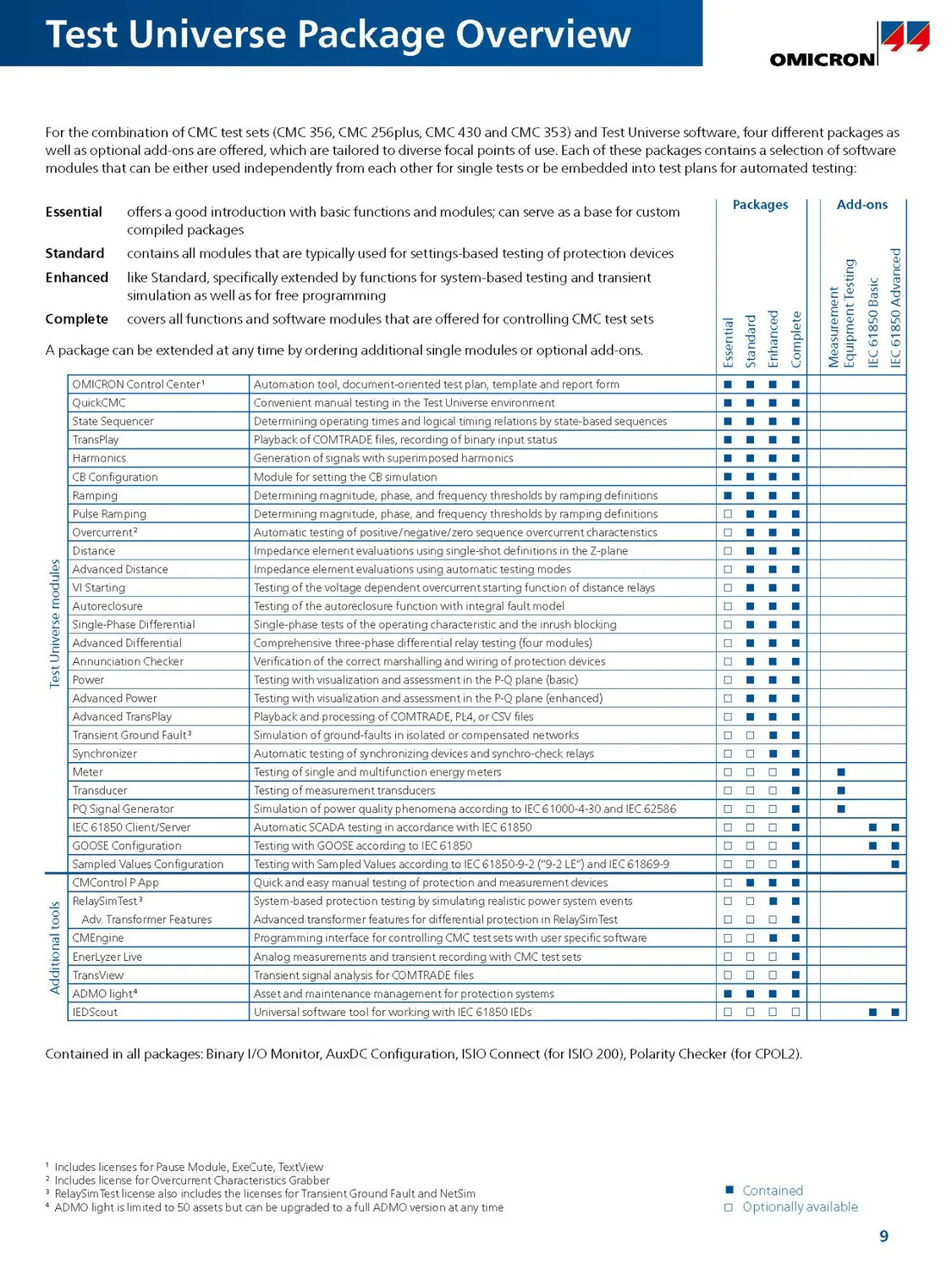
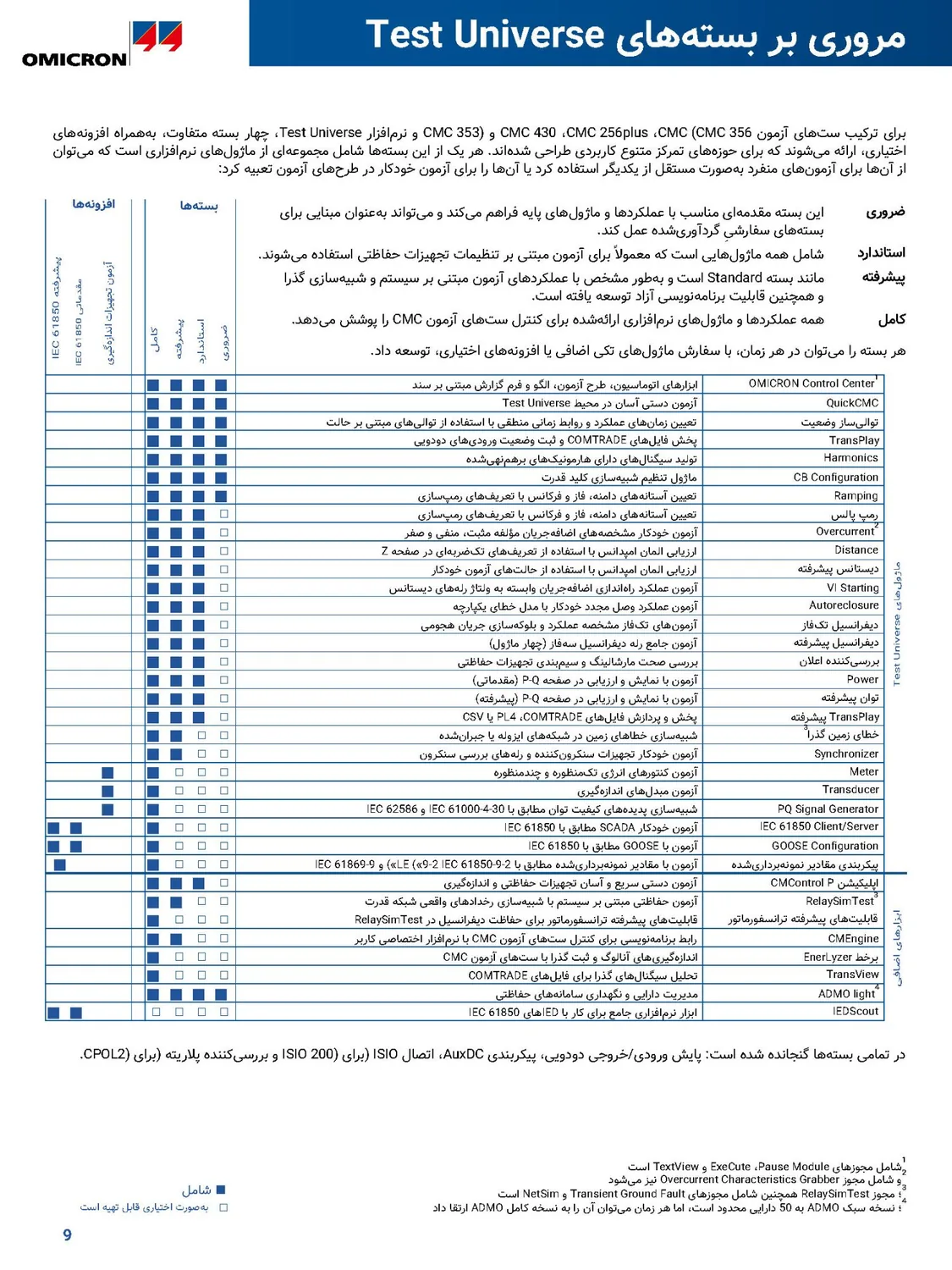
01 / 05 PDF

Catalogue table

The software package table of a PDF catalogue: the columns of marks moved to the left, every module's description is in Persian and set right-to-left, and every mark stays in its own row.

  1. 1 The page title is in Persian and moved right
  2. 2 Package names and definitions in Persian
  3. 3 Every module's description in Persian, right-to-left
  4. 4 The columns of marks moved to the left
The original page in English The same page translated into Persian Original · English Translation · Persian
02 / 05 Word

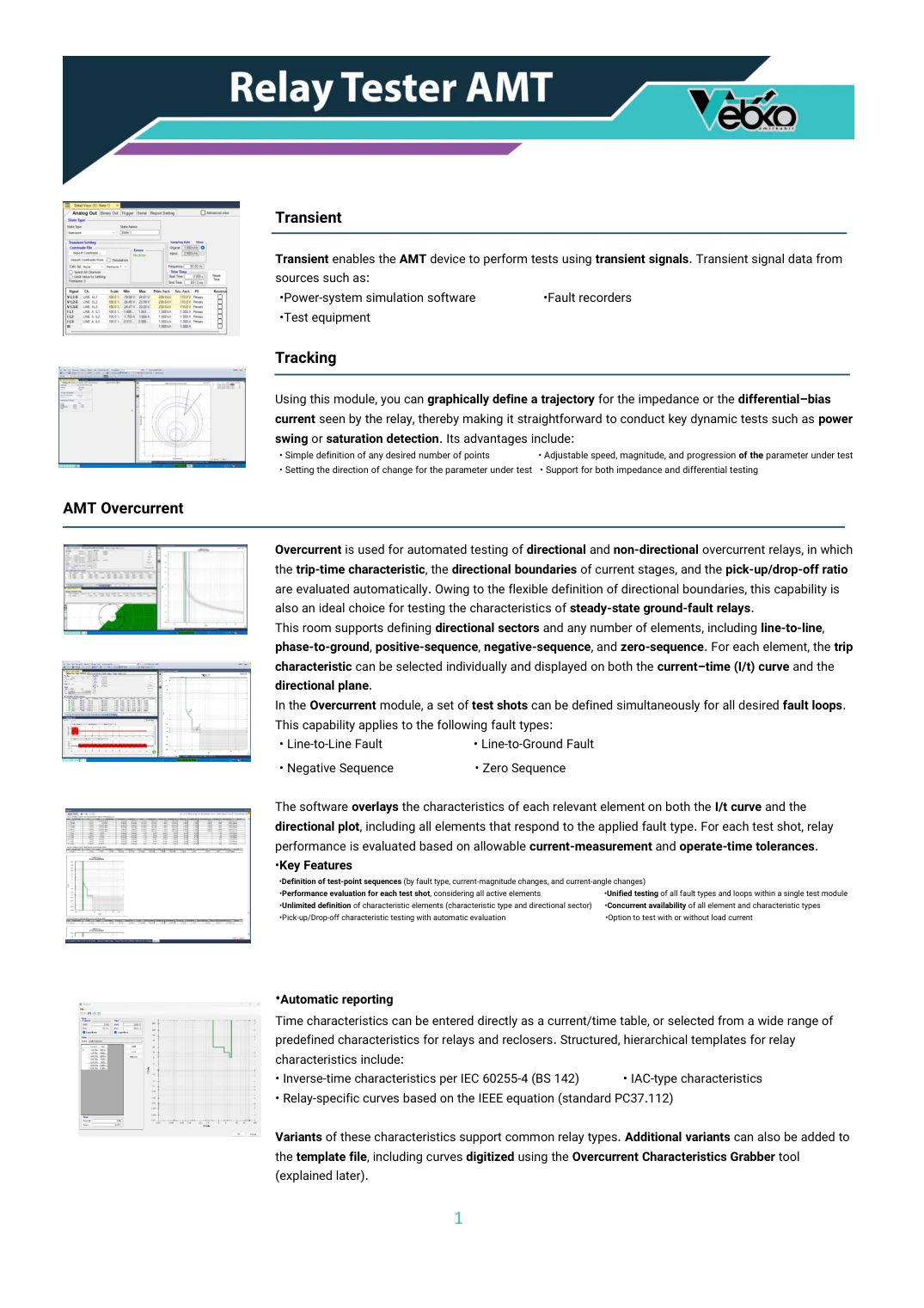
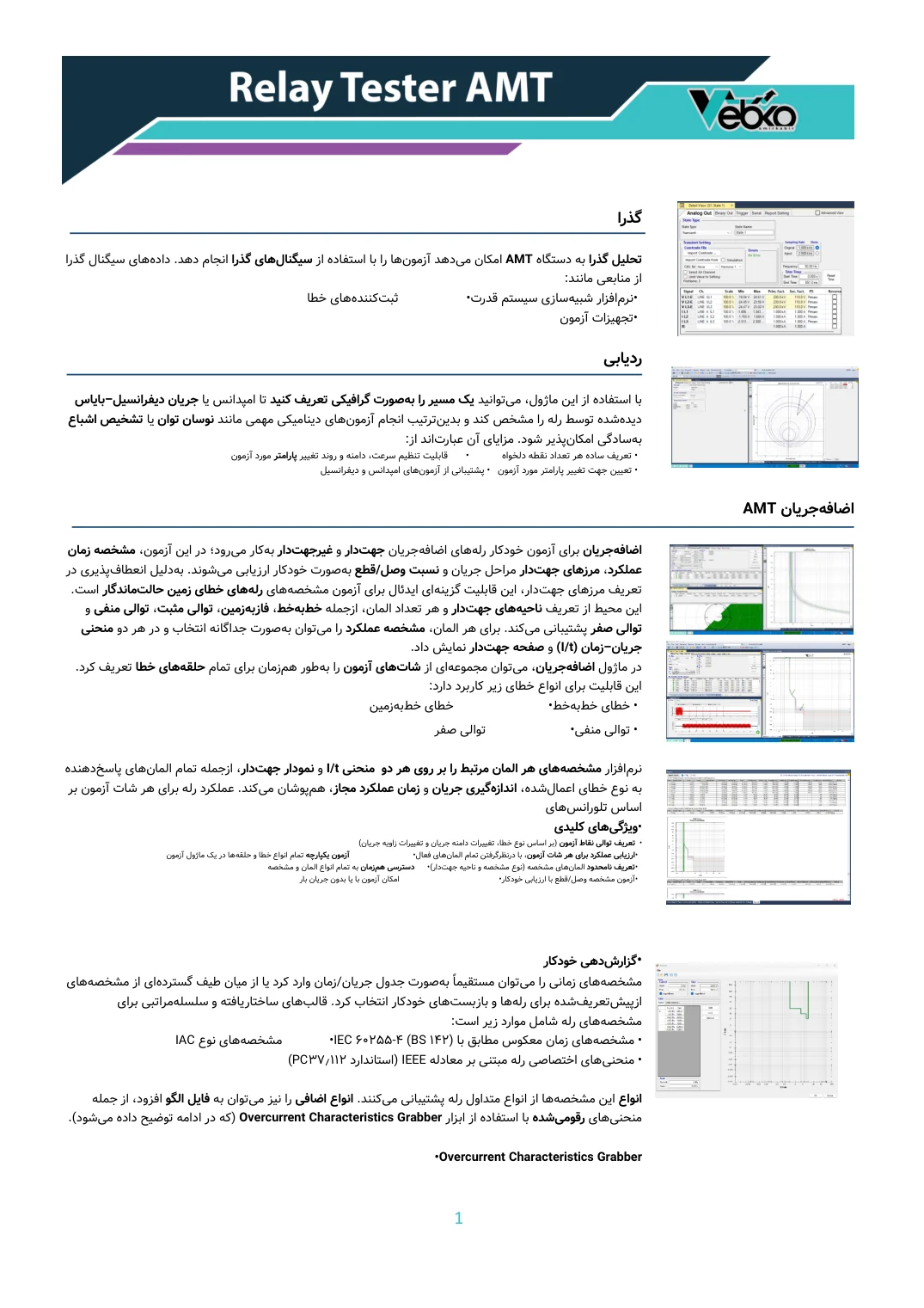
Text and pictures

Sections of a Word catalogue with charts and screenshots: the pictures moved to the opposite edge, the headings are translated, and the result is still a Word file.

  1. 1 The picture moved to the other edge
  2. 2 Heading translated, its rule kept
  3. 3 Bold stays on the same words
  4. 4 The two-column list was mirrored
The original page in English The same page translated into Persian Original · English Translation · Persian
03 / 05 PDF

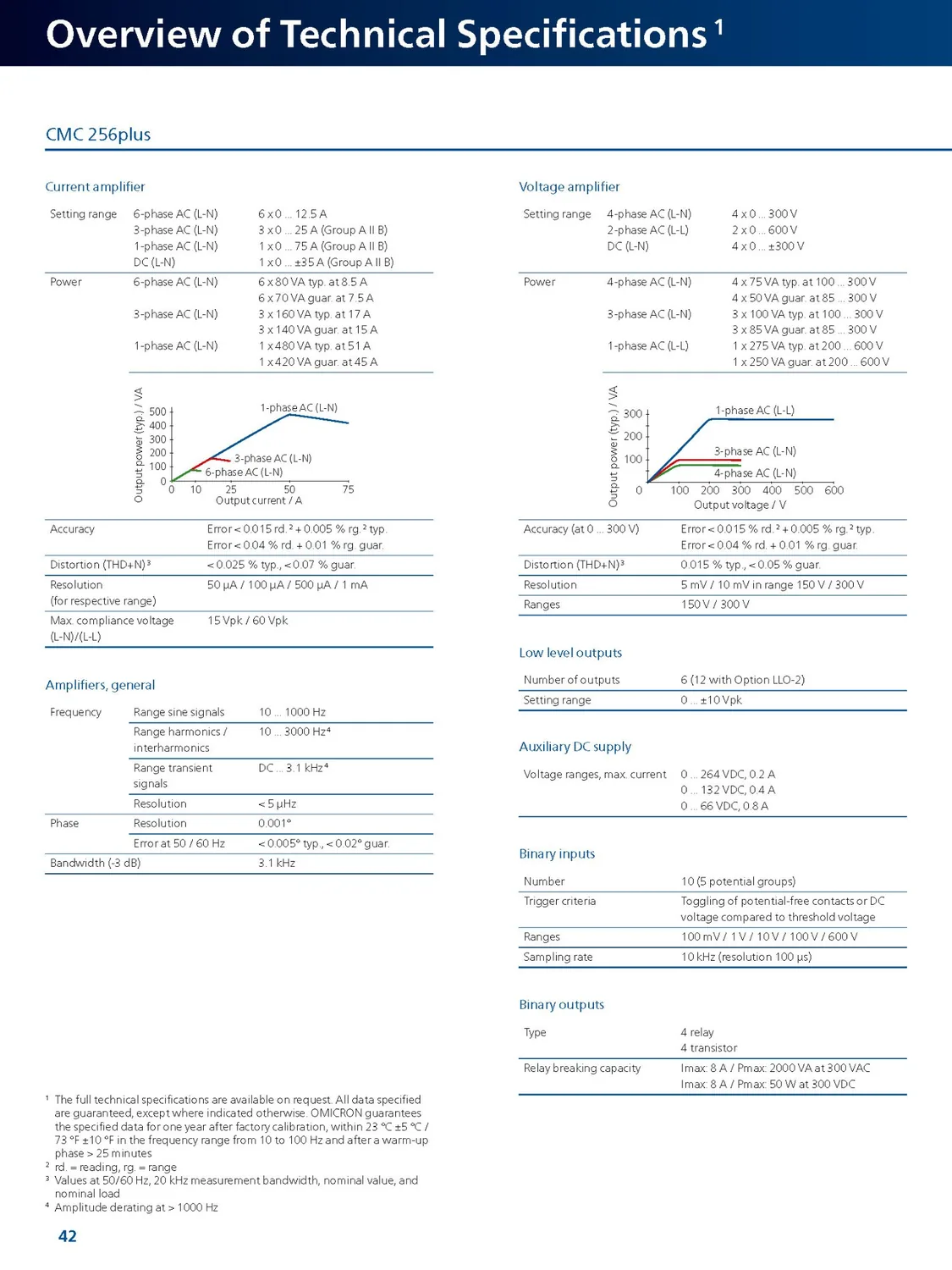
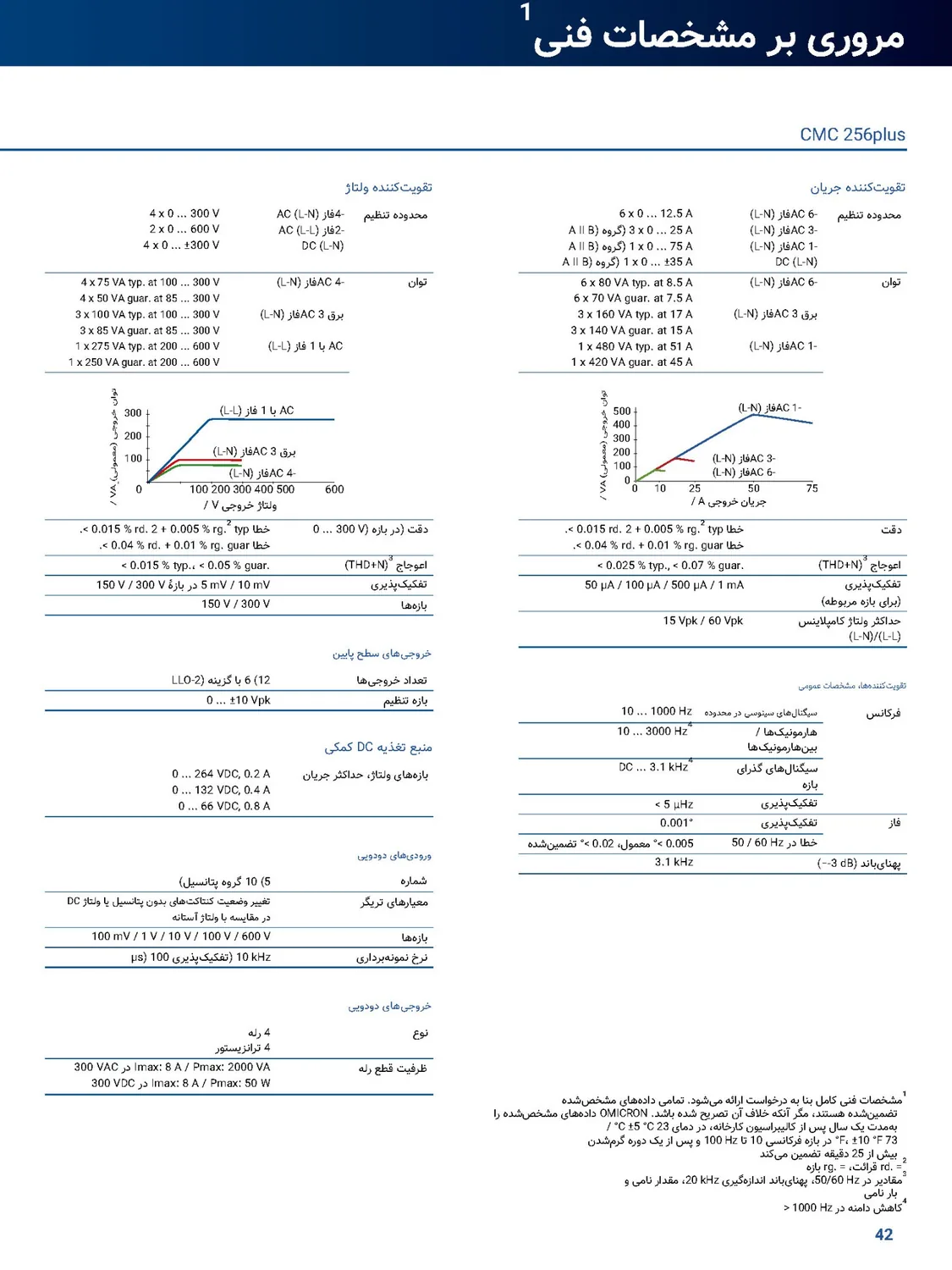
Charts and specifications

A technical specifications page from a PDF catalogue: the two columns swapped sides, the charts' axes and labels are in Persian, and every figure and unit is unchanged.

  1. 1 The page's two columns swapped sides
  2. 2 Figures and units untouched
  3. 3 The chart axis is in Persian too
  4. 4 Footnotes set right-to-left
The original page in English The same page translated into Persian Original · English Translation · Persian
04 / 05 PDF

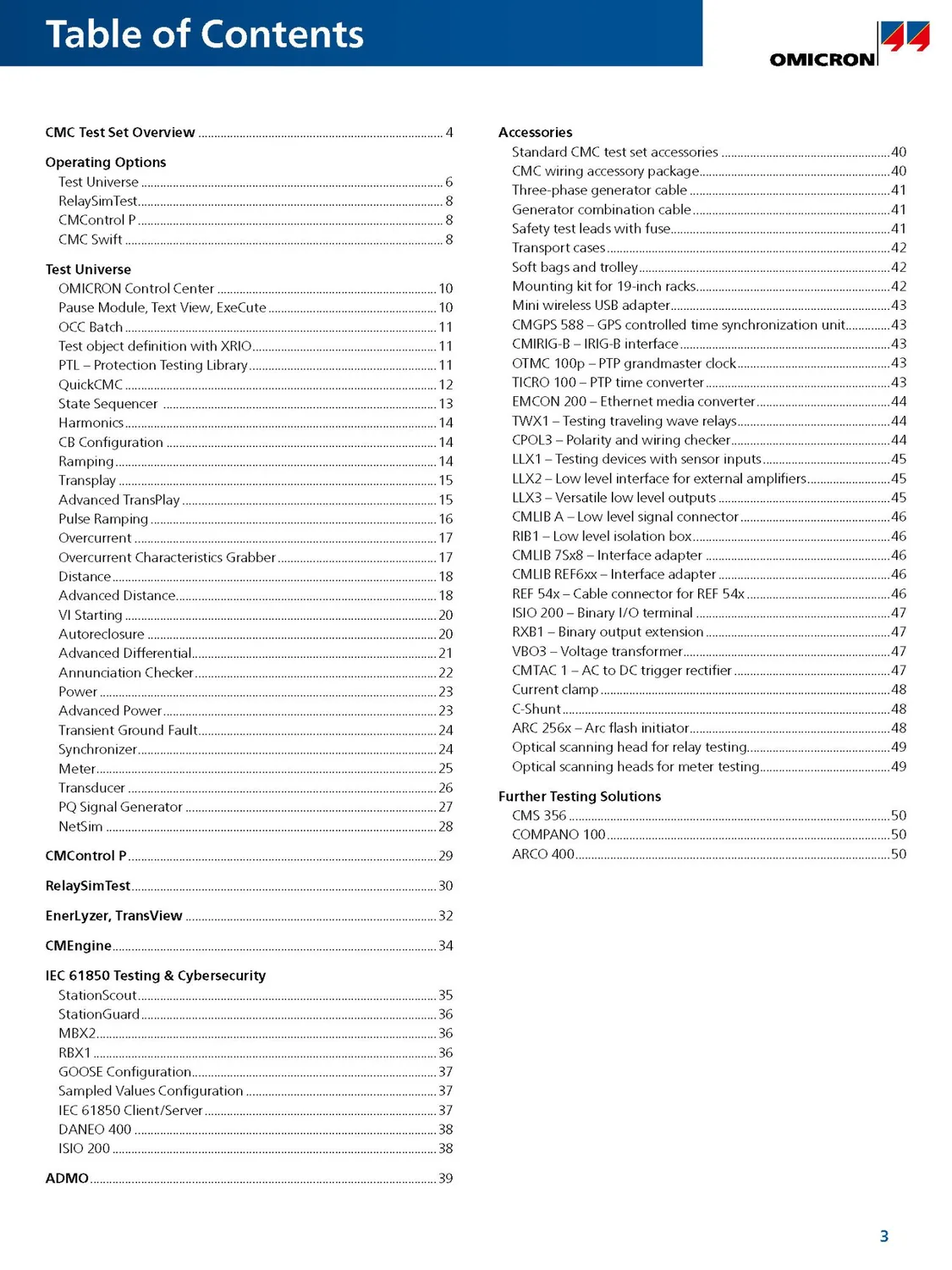
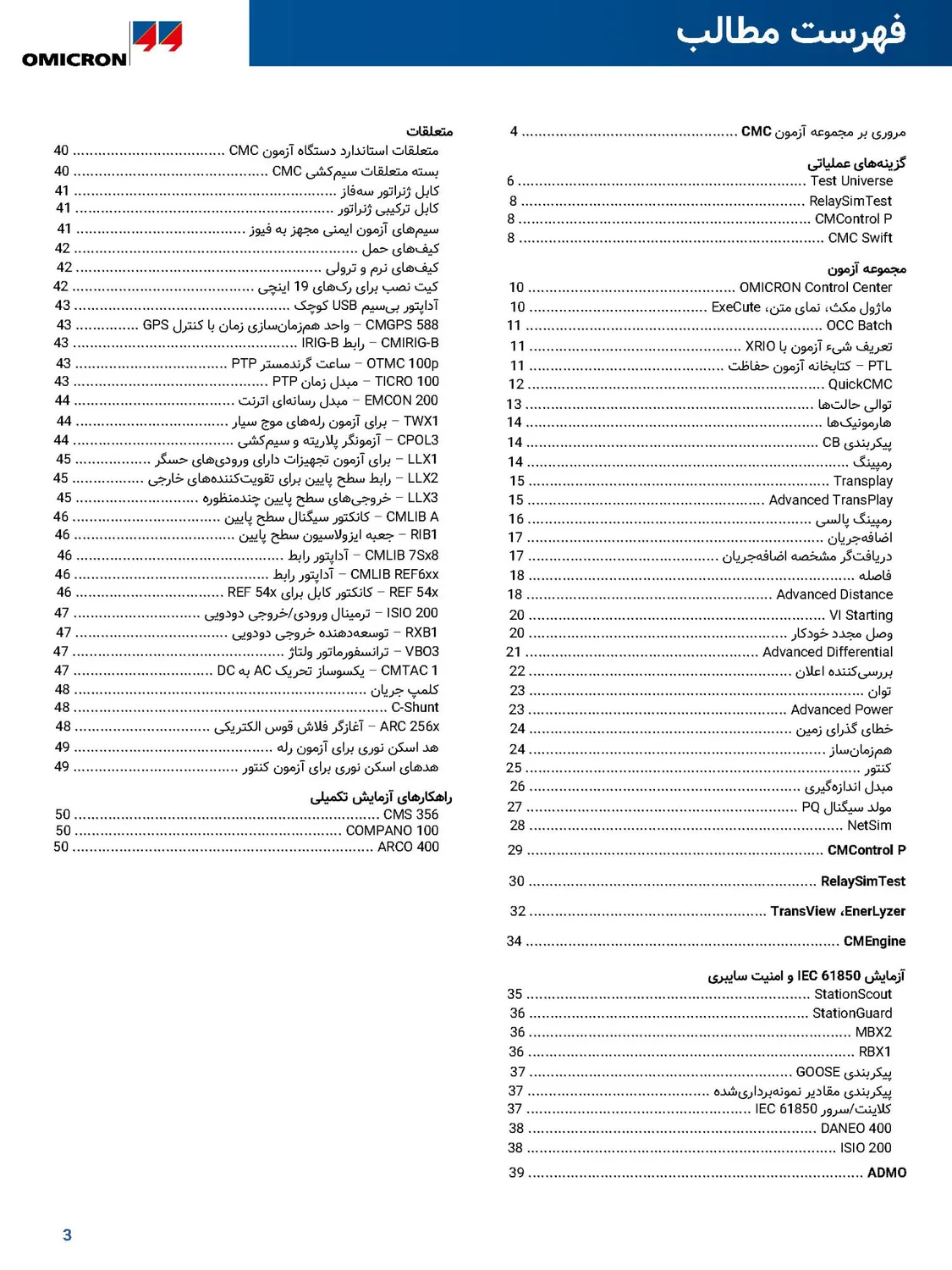
Table of contents

The table of contents of a PDF catalogue: the sections start in the right-hand column, the page numbers moved to the left edge, and product names are kept as they are.

  1. 1 Sections start in the right-hand column
  2. 2 Product names kept as they are
  3. 3 Dot leaders run to the page number
  4. 4 Page numbers on the left of every line
The original slide in English The same slide translated into Persian Original · English Translation · Persian
05 / 05 PowerPoint

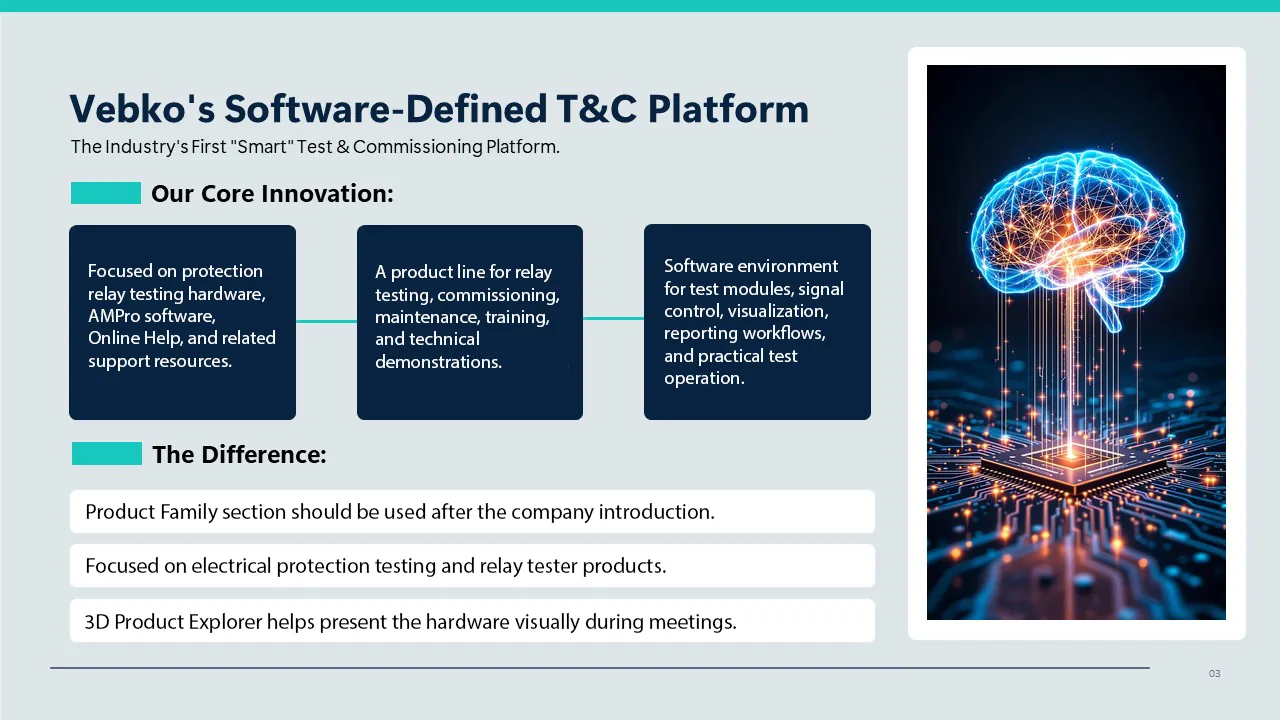
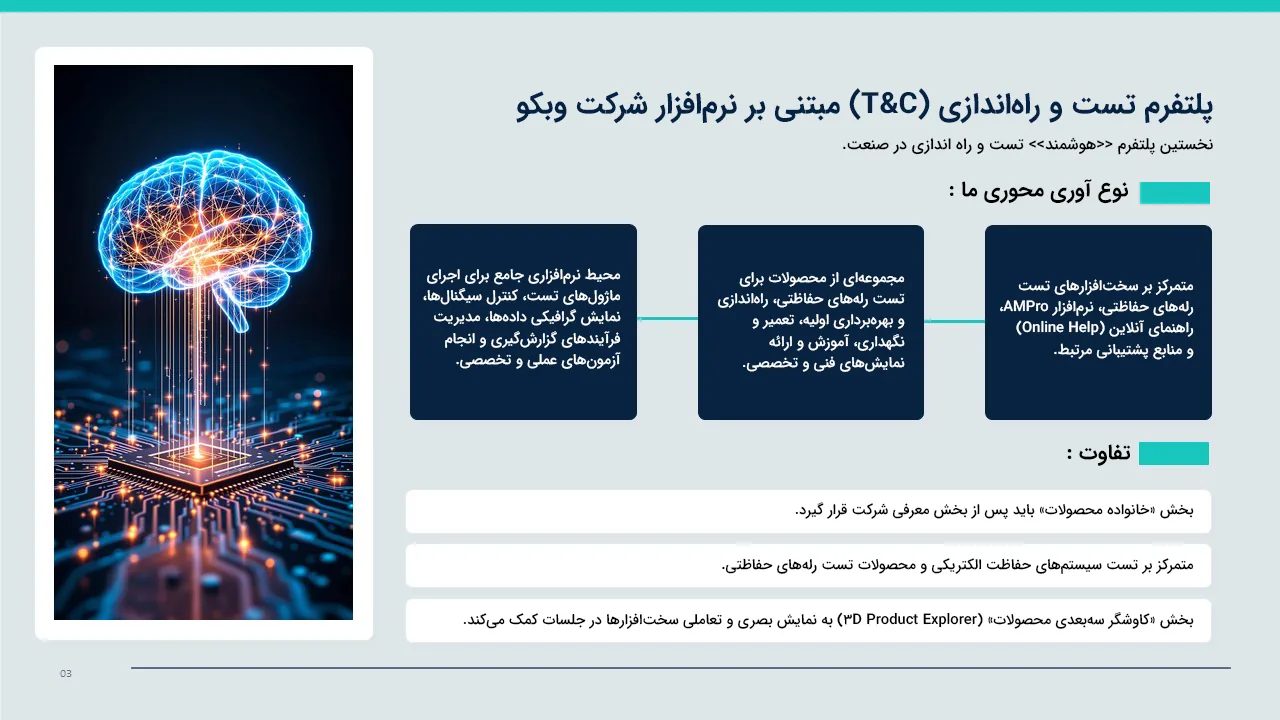
PowerPoint slide

A slide from a PowerPoint presentation: the picture moved to the left edge, the three boxes and the list below read from the right, and the result is still an editable PowerPoint file.

  1. 1 Slide title in Persian, aligned right
  2. 2 The picture moved to the left edge
  3. 3 The three boxes now read from the right
  4. 4 The list below is set right-to-left
WHY GOFTITO

Everything that matters in a document, kept in place

The original document stays

The document isn't rebuilt: the PDF's own page and the text of the Word or PowerPoint file are edited. Backgrounds, colours, logos, styles, pictures and slide animations stay the same, and Word and PowerPoint files stay editable.

Real mirroring

English to Persian or Arabic and back: table columns, pictures, charts and slide shapes move across and arrows turn around; the pictures themselves are never flipped.

Scanned PDFs

A page with no selectable text is read page by page and translated like the rest of the document.

Footnotes, headers and notes

Formulas are left untouched and every footnote mark stays behind its word; Word headers and footnotes and PowerPoint speaker notes are translated too.

Text inside PDF figures

Labels in PDF flowcharts, charts and picture figures are read and translated on the picture itself, and you choose which pictures stay as they are.

Automatic quality checks

Numbers, addresses, emails and references are compared with the source, and a faulty passage is repaired automatically before delivery.

HOW IT WORKS

From file to finished document in four steps

  1. Step 01

    Upload the file

    A PDF (text or scanned), a Word file (DOCX) or a PowerPoint file (PPTX).

  2. Step 02

    See the estimate first

    Size and cost are shown before the translation starts.

  3. Step 03

    Translation and checks

    The text is translated, checked and repaired if needed.

  4. Step 04

    Download the result

    Every file in its own format and layout.

FAQ

Good to know before you start

Short answers to the questions people ask most.

Didn't find your answer? After signing in, open a support ticket; we'll text you when it's answered. Open a ticket
01 What format is the result?

The same format as your file: a PDF comes back as a PDF with the same pages, a Word file as the same DOCX and a PowerPoint file as the same PPTX, both still editable.

02 What gets translated in PowerPoint?

The text of every slide, including text boxes, tables and grouped shapes, and the speaker notes. Animations and pictures stay in place. Text in the slide templates themselves (Master and Layout) isn't translated.

03 Does it translate scanned PDFs?

Yes. A page with no selectable text, or text that can't be read correctly, is read page by page and translated like the rest of the document.

04 Won't the tables and pictures get messed up?

No. The document itself is edited and the translation is laid onto the same layout. Into Persian or Arabic, table columns and picture positions are mirrored as well.

05 Does it accept old .doc and .ppt files?

No, only .docx and .pptx. Open the old file in Word or PowerPoint and use Save As to save it in the new format.

06 Is text inside pictures translated?

In a PDF, yes: charts, flowcharts and picture figures are translated; screenshots and logos stay as they are by default, and you can choose for each picture. In Word and PowerPoint, pictures stay as they are.

07 Which languages can it translate into?

Persian and English in both directions, and languages such as Arabic, Turkish, German and French. The full list is shown when you create a translation.

08 How do I know the cost?

After you upload, the file is analysed and its size and approximate cost are shown before the translation starts.

READY?

Translate your next document now

Upload a PDF, Word or PowerPoint file, see the estimate, and get it back in the same layout.