
FOR STUDENTS

Books and notes, on the same pages.

Upload an English textbook chapter, your lecturer's notes, class slides or a paper you need for your research: the text is translated fluently, figures, tables and formulas stay where they were, and the file comes back in its own format so you read it like the original.

Made for
  • Textbooks and chapters
  • Lecture notes
  • Class slides
  • Term papers
  • Final-year projects
  • Source papers
  • Lab manuals
BEFORE AND AFTER

Real pages from a translated paper

These pages are exactly what Goftito delivered for an open-access English review paper (Ramos, Matos and Soares, 2022, CC BY 4.0), the kind of paper you read for a research assignment or a project. Drag the handle to compare the original with the translation.

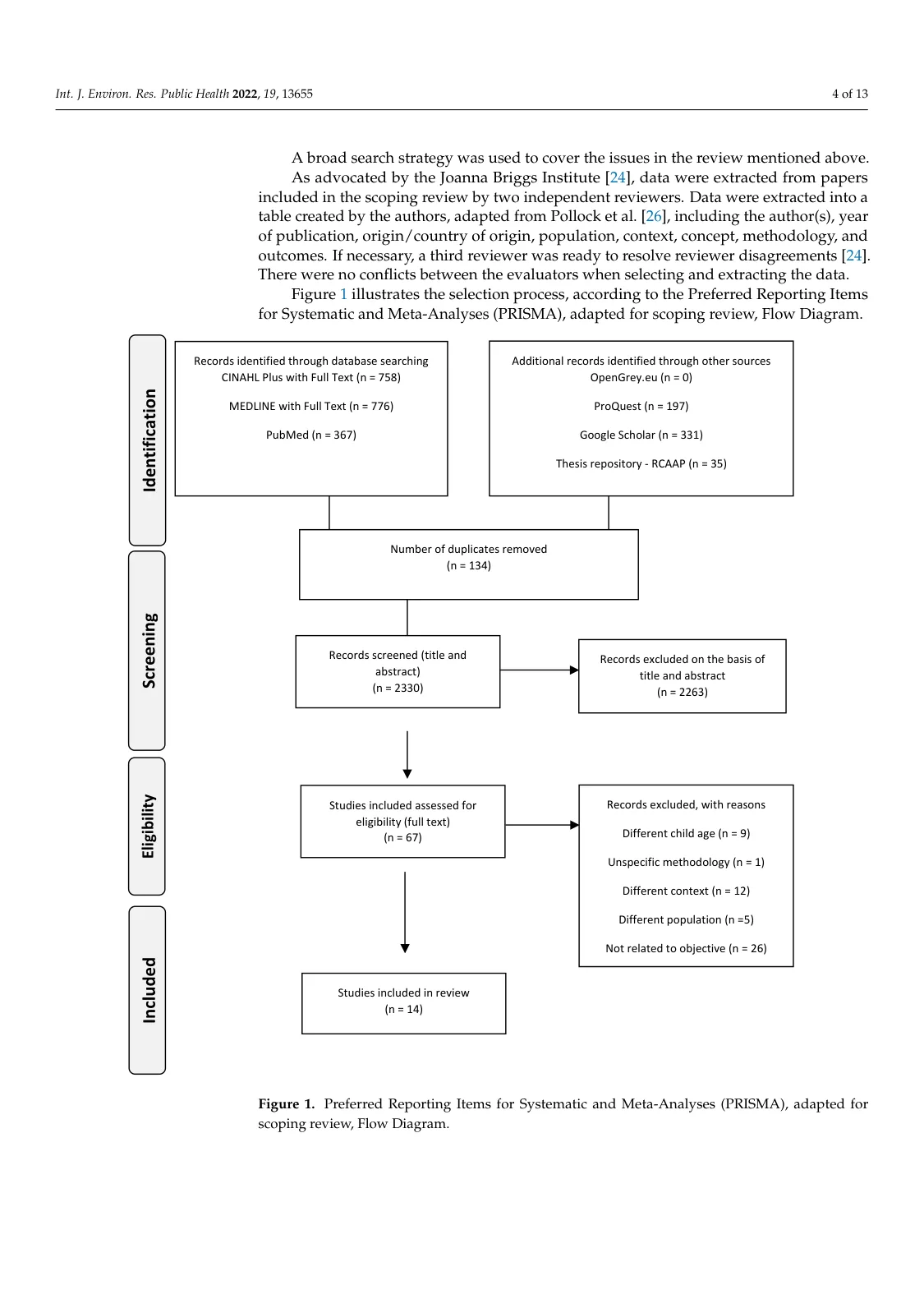
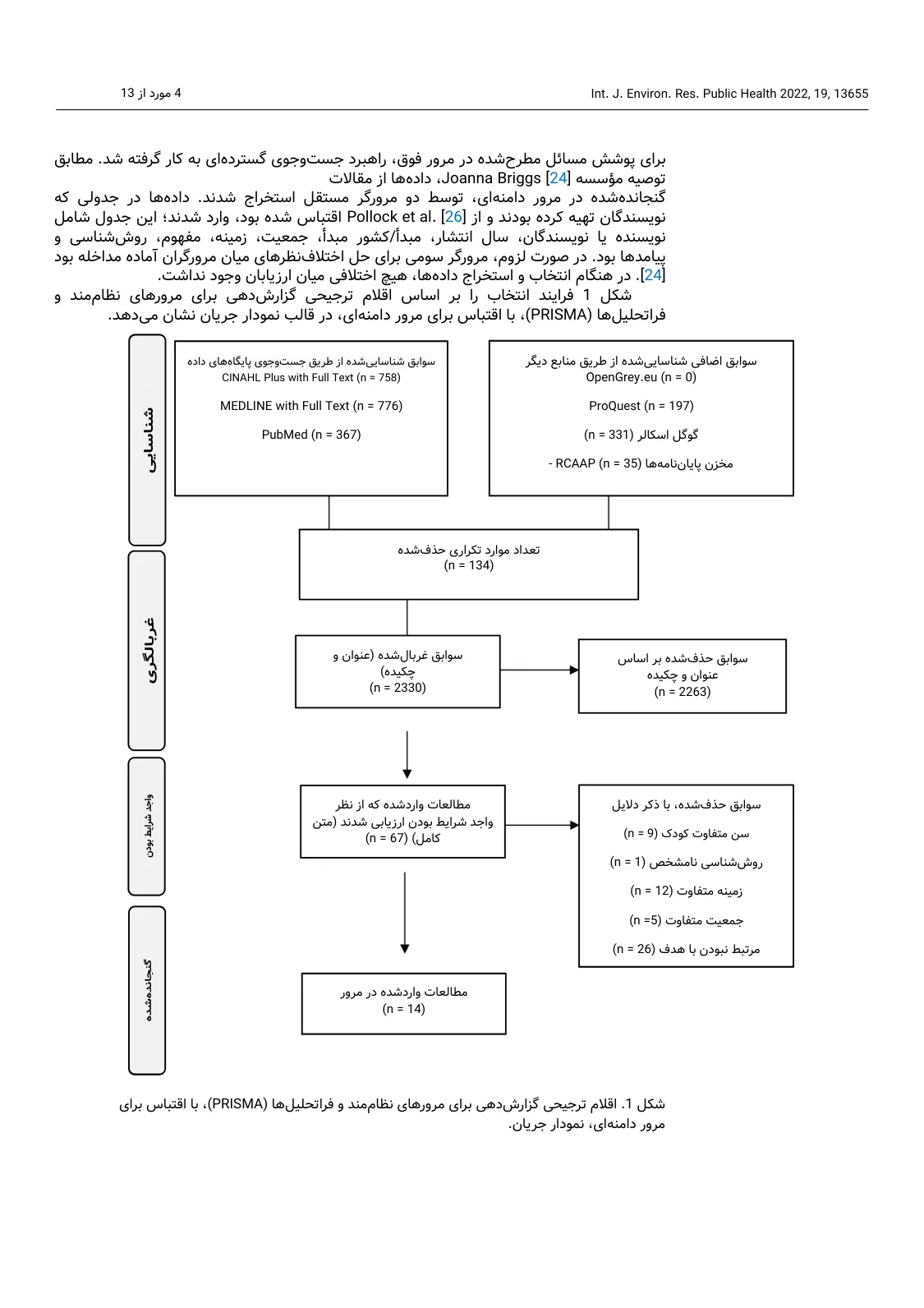
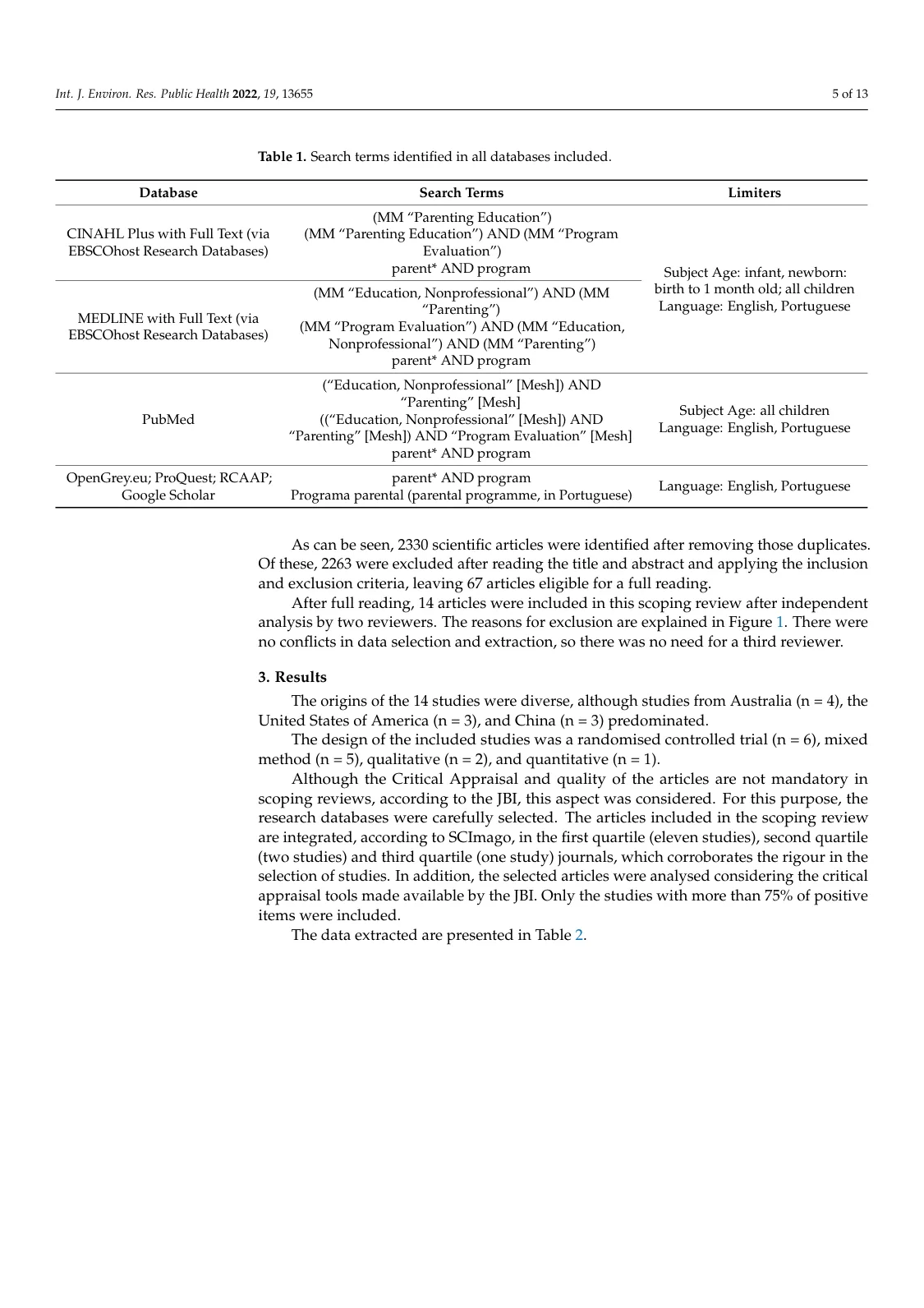
A paper's flowchart (PDF): the original page in English A paper's flowchart (PDF): the same page translated into Persian Original · English Translation · Persian
01 / 03 PDF

A paper's flowchart

A page of a review paper with its source-selection flowchart: every box and stage label is in Persian, the counts and database names are unchanged, and the paragraph above the figure is set right-to-left.

  1. 1 The paragraph above the figure is set right-to-left
  2. 2 The rotated stage labels are in Persian too
  3. 3 Boxes translated, counts unchanged
  4. 4 The figure caption is in Persian
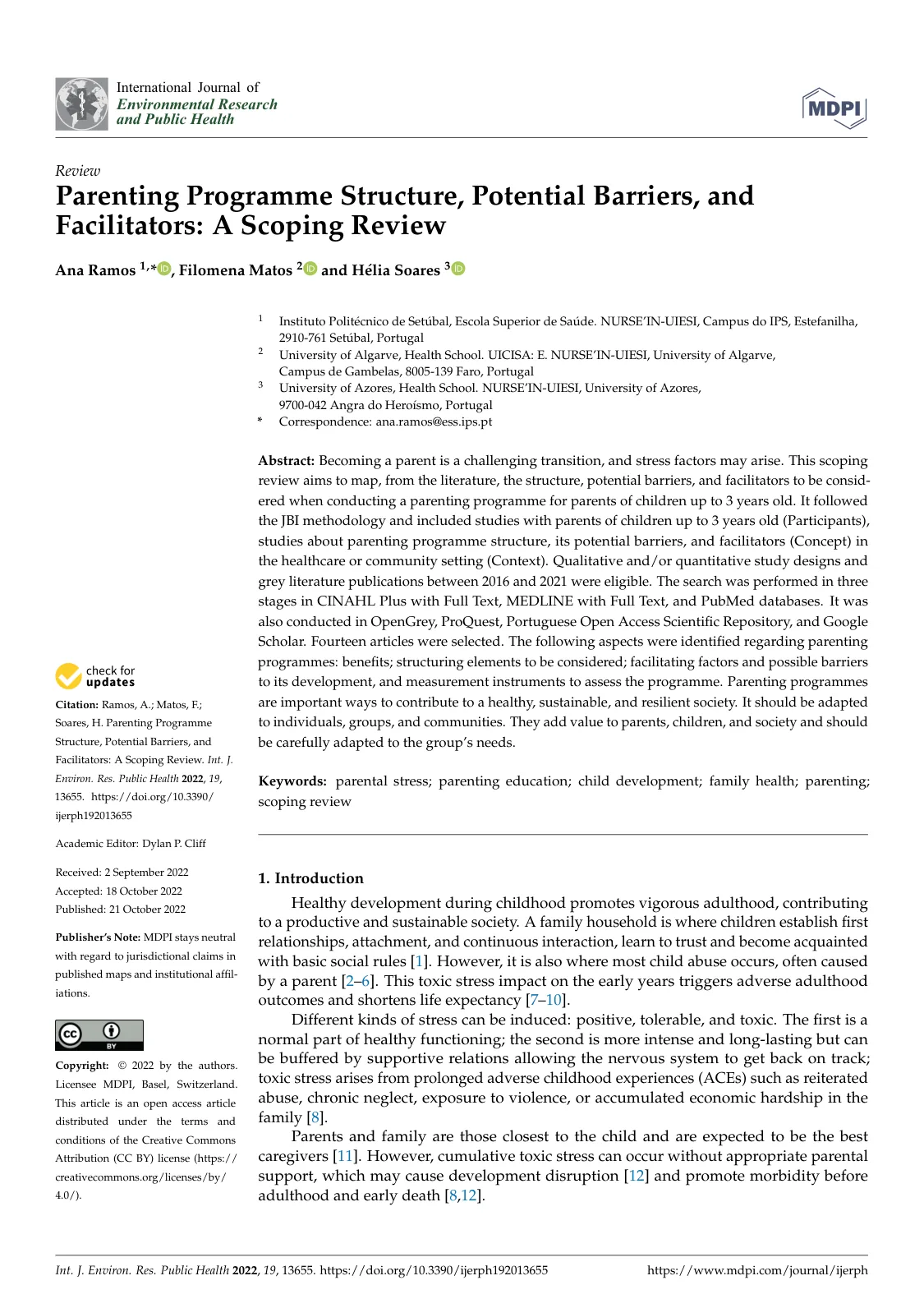
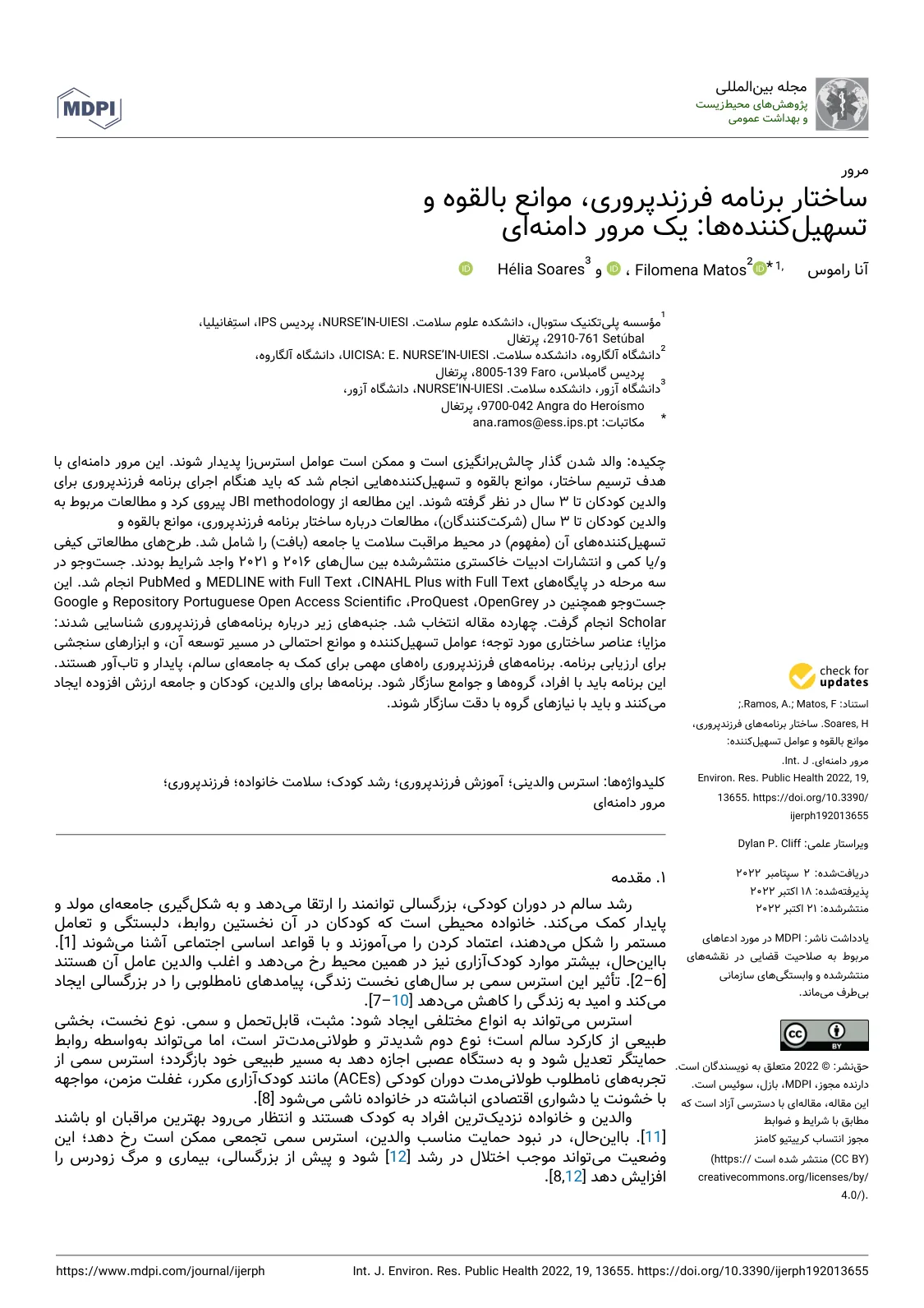
A paper's first page (PDF): the original page in English A paper's first page (PDF): the same page translated into Persian Original · English Translation · Persian
02 / 03 PDF

A paper's first page

The same paper's first page: the title and abstract are in Persian and set right-to-left, the authors' and databases' names are kept, and the side column with its dates moved to the right.

  1. 1 The title is in Persian and set right-to-left
  2. 2 The authors' names kept with their marks
  3. 3 Database names kept as they are
  4. 4 The side column moved to the right
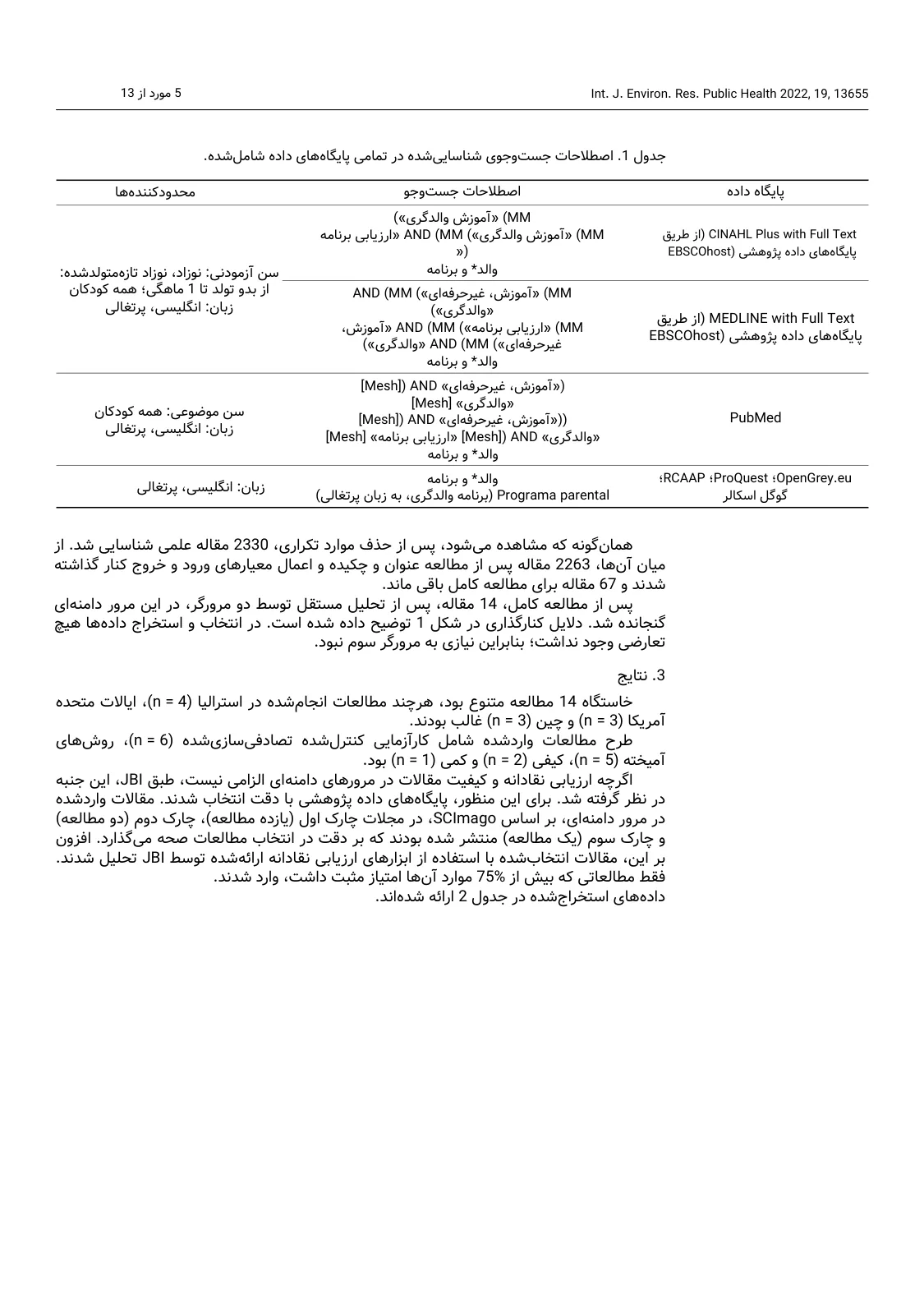
A paper's table (PDF): the original page in English A paper's table (PDF): the same page translated into Persian Original · English Translation · Persian
03 / 03 PDF

A paper's table

The same paper's table of search terms: the columns now read from the right, search operators such as AND and database names are kept, and the figures in the paragraph below the table are unchanged.

  1. 1 The database column moved to the right
  2. 2 The AND operator and database names kept
  3. 3 The figures in the results untouched
WHY GOFTITO

What a student needs

The same layout, beside the original

A PDF book or paper comes back as a PDF, and Word and PowerPoint files as the same editable files. Each page keeps its layout, so you read the translation beside the original and find every page's figures and tables in the same place.

Scanned books and notes

A scanned book or typed notes with no selectable text are read and translated page by page, and so is a photo of a page taken with your phone.

Class slides, still editable

PowerPoint slides are translated and come back as the same editable file; boxes, pictures and animations stay, and in a Persian translation the slide's layout is mirrored too.

Figures, charts and flowcharts

Chart labels and flowchart boxes inside a PDF are read and translated on the figure itself.

Formulas and tables are left alone

The mathematical formulas and scientific symbols of engineering and science books aren't translated, and table figures stay in their cells.

Your own translation memory

A sentence translated in an earlier chapter or an earlier version of your project comes back from memory; a paragraph fully in memory isn't charged again.

AGAINST TRADITIONAL TRANSLATION

How it differs from ordering a book translation the traditional way

Traditional translation Goftito
What you get back Traditional Usually typed text in Word; figures and tables are either rebuilt or left out. Goftito The same PDF, Word or PowerPoint file, with figures, tables and formulas in place.
Scanned books Traditional The translator reads from the image and types the translation from scratch. Goftito It is read page by page and the translation sits on the same layout.
Course terms Traditional It depends on how well the translator knows the subject. Goftito The academic mode, and with your own glossary a term is translated the same way in every chapter.
Specialist review Traditional A translator who knows the field reads the text and resolves what is unclear. Goftito Quality checks are automatic; for text you hand in, we recommend reading it through yourself.
Time and cost Traditional Usually days to weeks for a book; the price comes after a quote. Goftito A chapter usually in minutes; the cost is estimated before it starts and only what is used is charged.

See how smart translation compares with traditional and online translation

HOW IT WORKS

From file to finished document in four steps

  1. Step 01

    Upload the file

    PDF, Word, PowerPoint or a photo of a page, text or scanned.

  2. Step 02

    Choose the mode

    "Academic" for books and papers, and your course's glossary if you like.

  3. Step 03

    See the estimate first

    Size and cost are shown before the translation starts.

  4. Step 04

    Download the translation

    In the same layout, to read beside the original.

FAQ

Good to know before you start

Short answers to the questions people ask most.

Didn't find your answer? After signing in, open a support ticket; we'll text you when it's answered. Open a ticket
01 Can I upload a whole book?

Yes, up to the file size your package accepts. You can also translate a large book chapter by chapter; with your own glossary, a term is translated the same way in every chapter.

02 Does it translate handwritten notes?

Typed and printed notes are read and translated, whether a PDF or a photo of a page. For handwriting, try one page before translating the whole set; reading it depends on how legible it is.

03 Can I still edit the slides after translation?

Yes. The PowerPoint file comes back as the same file and every slide can be edited; only the text changes, and the boxes and pictures stay.

04 Can I use the translation in a project or term paper?

The translation is ready for reading and understanding the source. If you use part of it in a project or term paper, cite the original source and read the text through yourself.

Translating your own paper or thesis

05 Which languages does it translate?

10 languages: English, Persian, German, Spanish, French, Italian, Dutch, Russian, Arabic and Turkish, from any of them into any other. When the writing direction changes, for example from English into Persian or Arabic, the document's layout is mirrored too.

Every language and direction

06 How do I know the cost?

After you upload, the file is analysed and its size and approximate cost are shown before the translation starts.

READY?

Translate your next chapter now

Upload the file, see the cost before it starts and get the translation back in the same layout.