
English
The most common source; from English into Persian or Arabic, the layout turns right-to-left too.
English, Persian, German, Spanish, French, Italian, Dutch, Russian, Arabic and Turkish, from any of them into any other. The text goes straight from the source language into the target, and when the writing direction changes, the layout is mirrored with it; the format, tables and pictures stay in place.
The same list the translation form offers; each card also says which way the language is written.
The most common source; from English into Persian or Arabic, the layout turns right-to-left too.
From Persian into English and other languages too: tables and pictures go back to their places in a left-to-right document.
Letters such as ä, ö, ü and ß come out right, and the document keeps its direction.
Letters such as ñ and á come out right; from Persian into Spanish, the layout turns left-to-right.
French accented letters such as é, è and ç come out right.
Left-to-right; from English into Italian the layout is left as it is.
Left-to-right; from English into Dutch the layout is left as it is.
Cyrillic script, left-to-right; from Persian into Russian, the layout turns left-to-right.
Right-to-left like Persian; between Arabic and Persian the direction stays and so does the layout.
Turkish letters such as ş, ğ, ı and İ come out right.
What happens to the layout depends on whether the two languages are written the same way.
Between left-to-right and right-to-left, the layout is mirrored: table columns swap, pictures move to the other edge and arrows turn round; the pictures themselves are never flipped. On a photo or poster, the picture stays where it is and only the text is written in the target's direction.
As in English ⇄ Persian or English ⇄ ArabicBetween two left-to-right languages the layout is left alone. In a PDF, a typeface of the original's kind (serif or sans) is chosen that has every letter of the target language.
As in English ⇄ Turkish, German or FrenchArabic and Persian are both written right-to-left; the text is translated and the layout stays as it is.
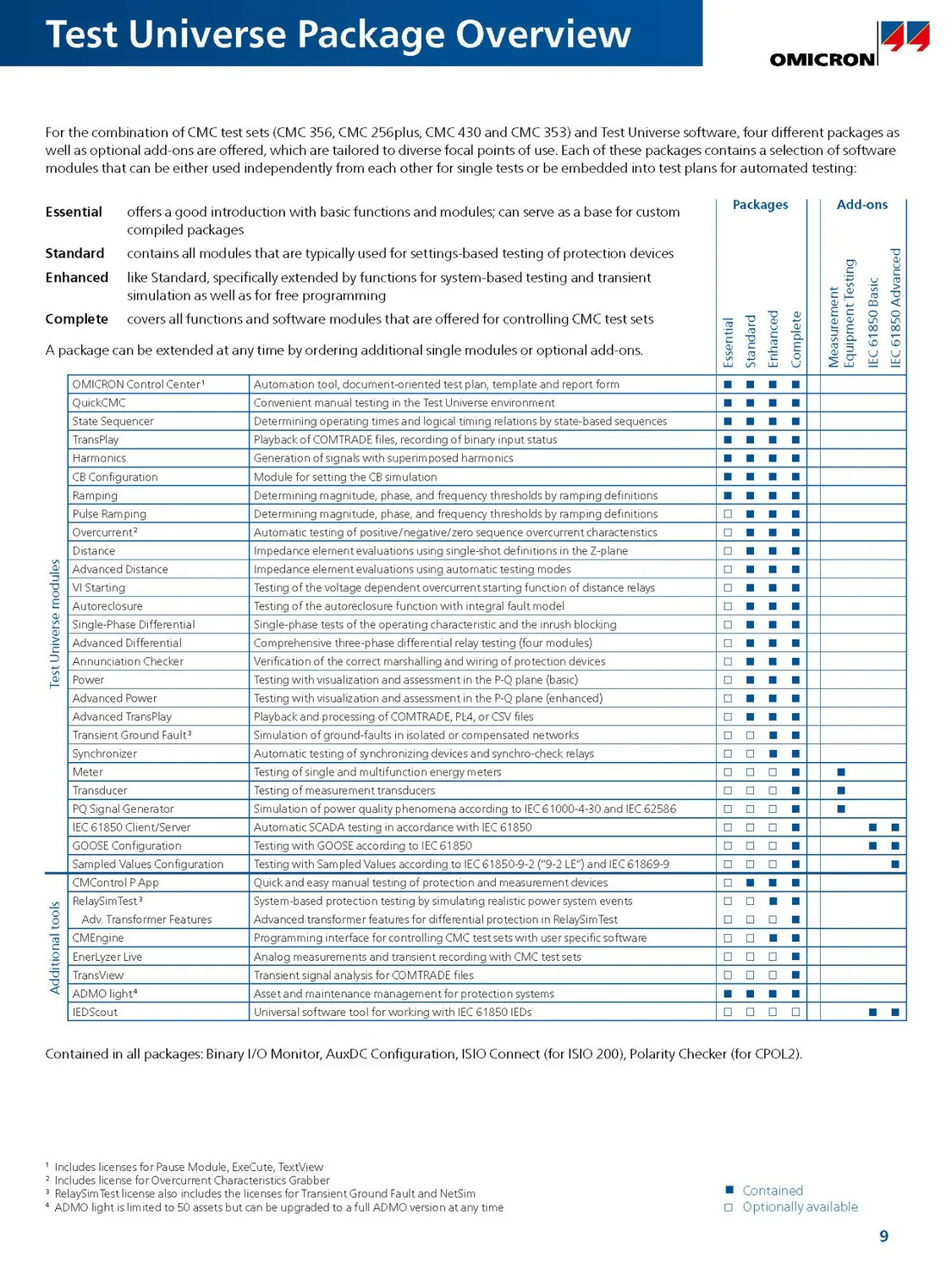
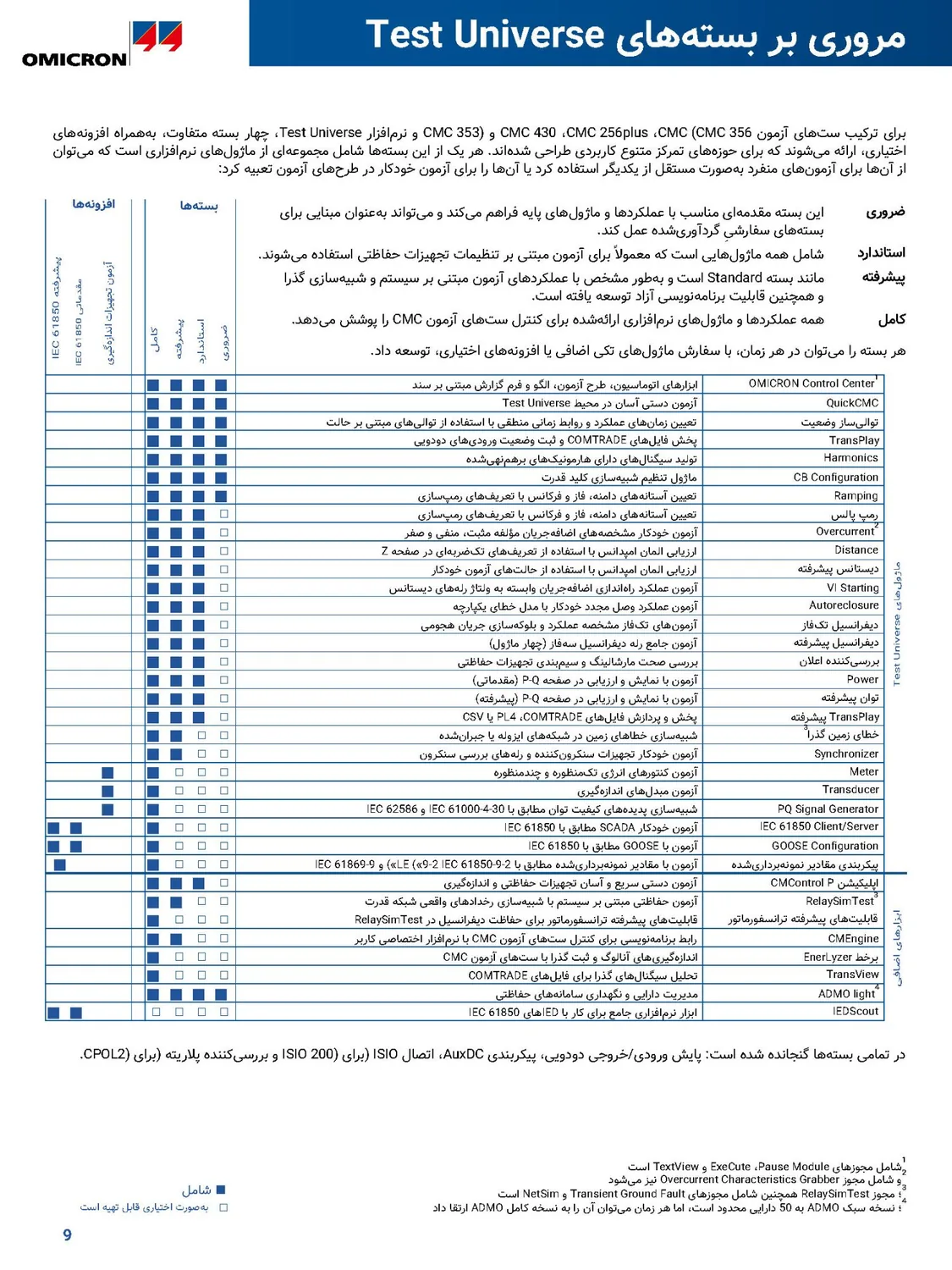
As in Arabic ⇄ PersianFrom English into Persian and from Persian into English: this is what Goftito actually delivered. Drag the handle to compare the original with the translation.
 English
Persian
English
Persian
The software package table of a PDF catalogue: the columns of marks moved to the left, every module's description is in Persian and set right-to-left, and every mark stays in its own row.
 Persian
English
Persian
English
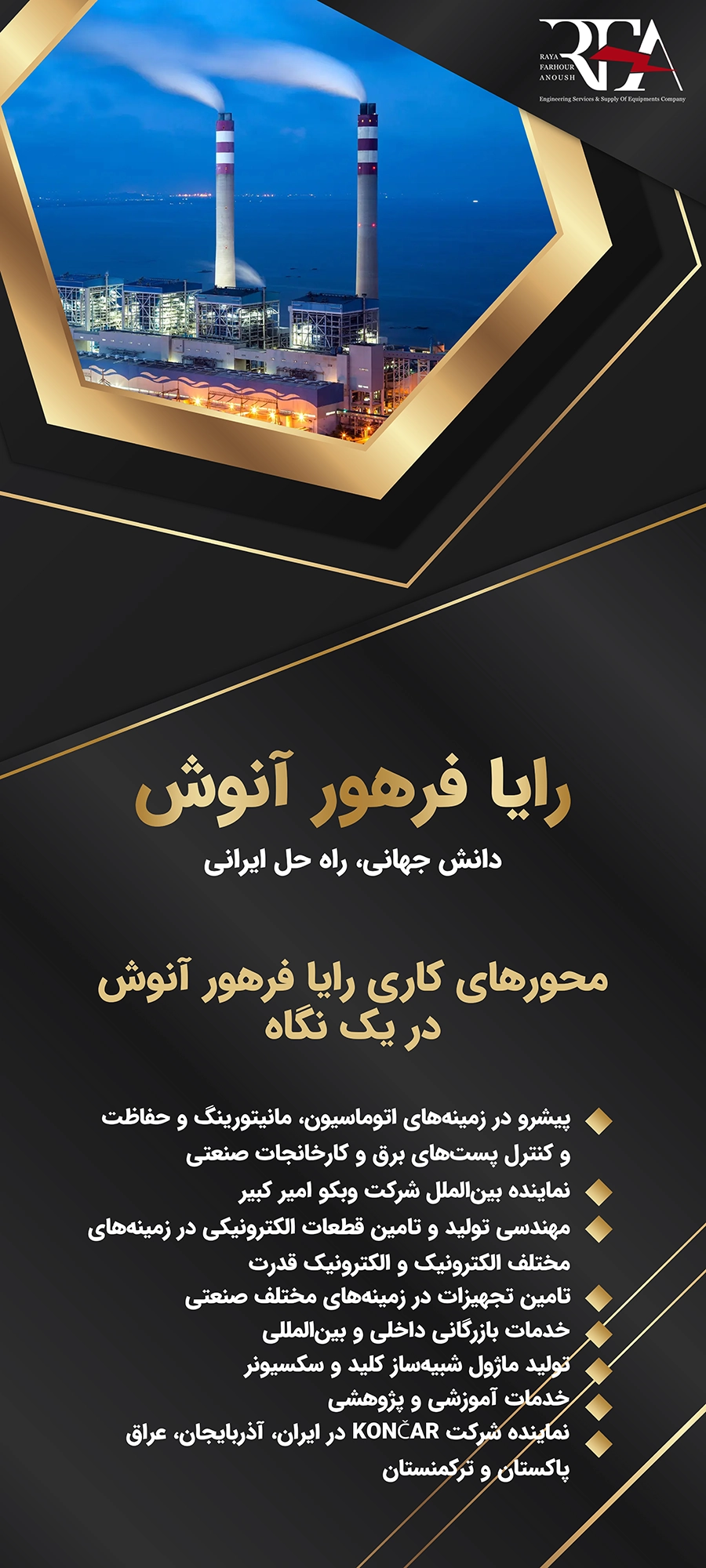
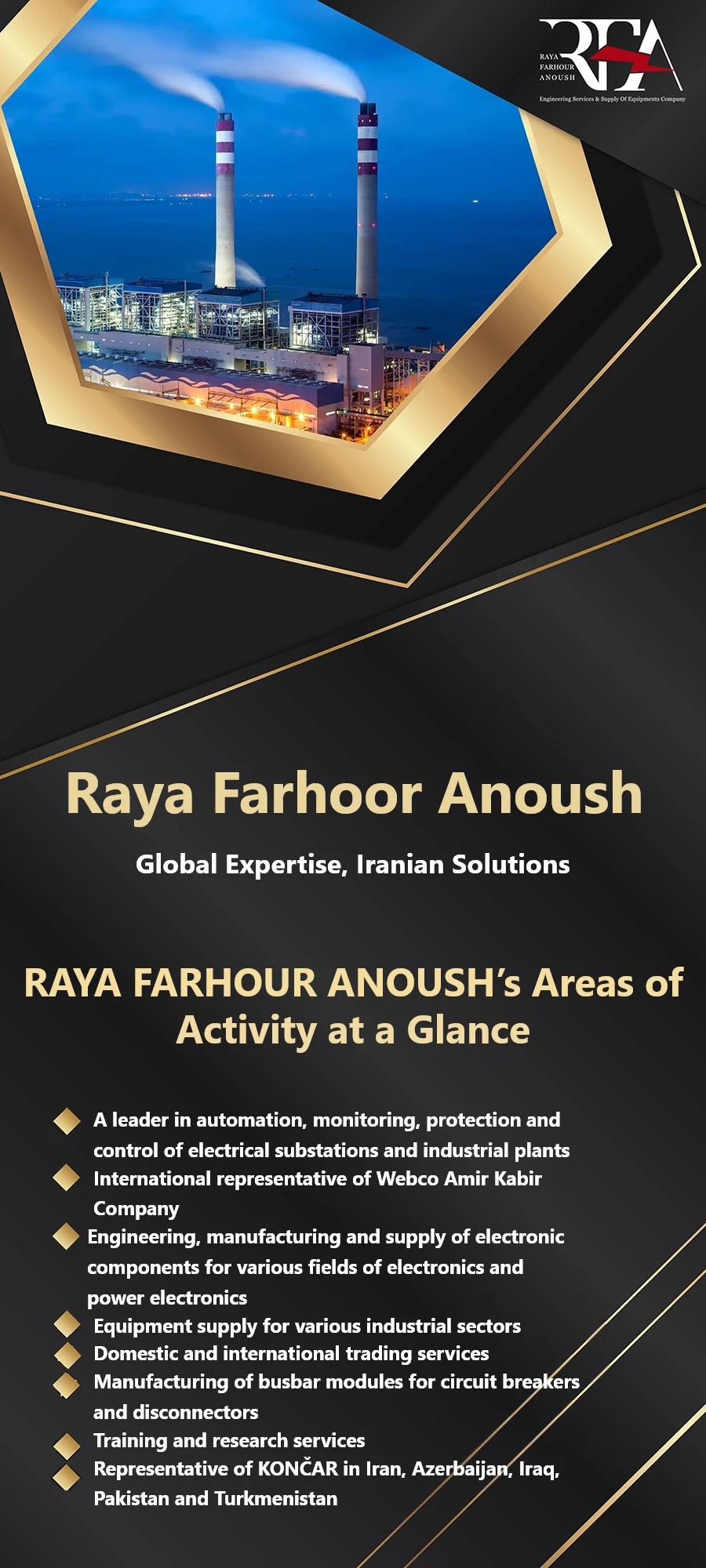
A Persian poster on a dark background: the company name, slogan and list are now in English, the bullets moved to the left, and the photo and gold lines are untouched.
 English
Persian
English
Persian
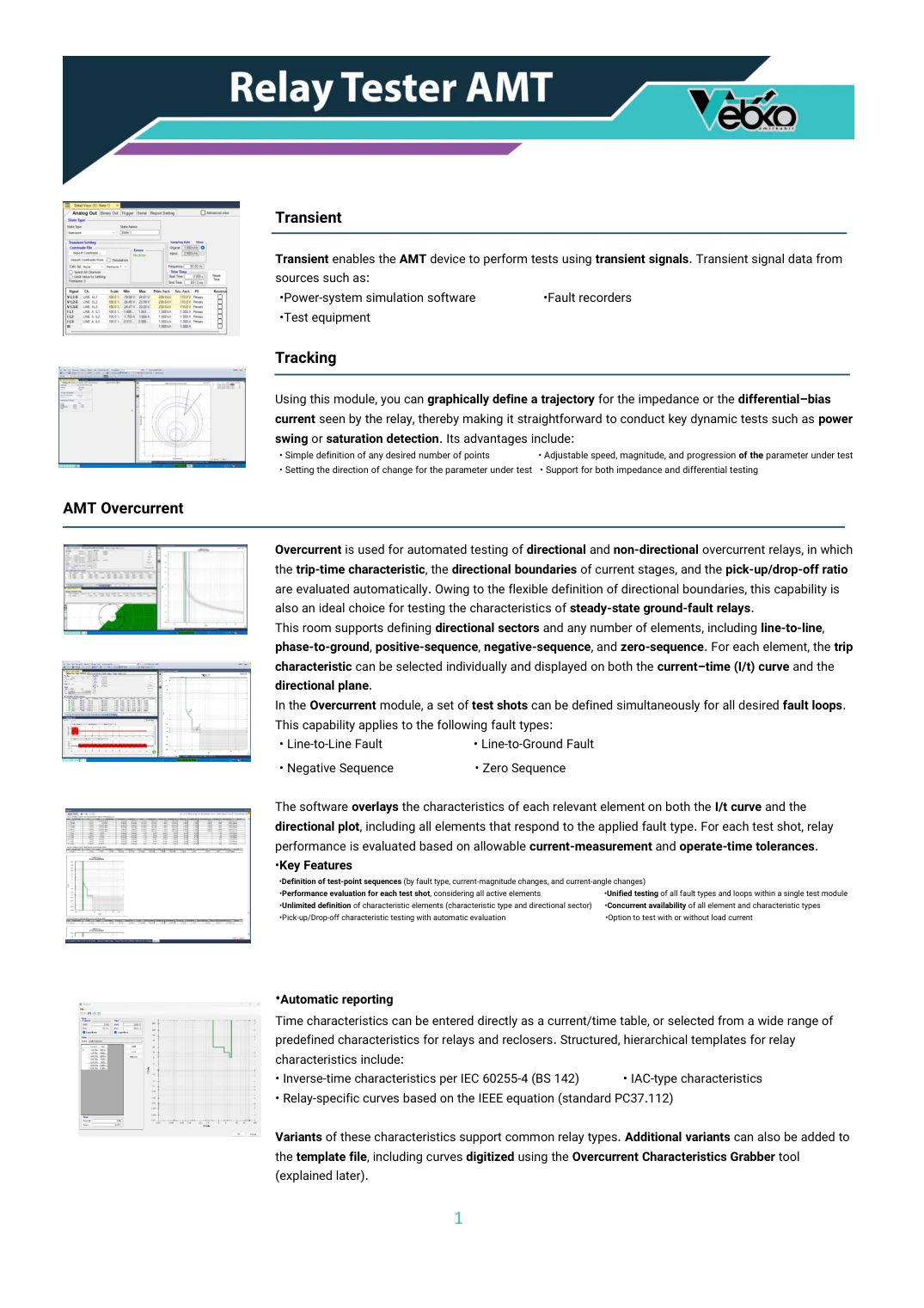
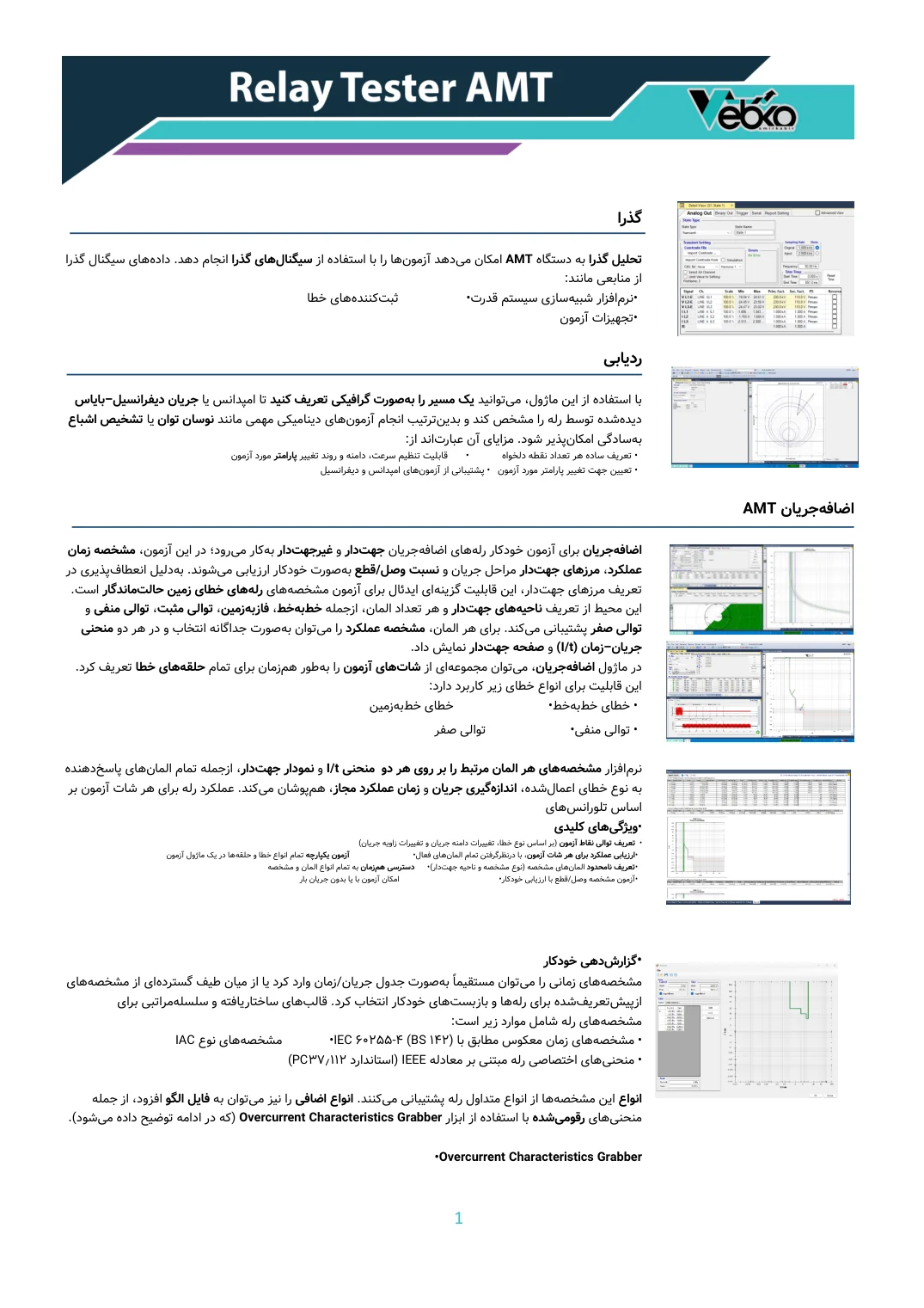
Sections of a Word catalogue with charts and screenshots: the pictures moved to the opposite edge, the headings are translated, and the result is still a Word file.
Short answers to the questions people ask most.
The text is translated into Persian by AI with each paragraph's context, figures and references are checked against the original, and the layout turns right-to-left: table columns swap and pictures move to the other edge. The file comes back in its own format.
Yes. The layout turns left-to-right, with tables and pictures moving to their places in a left-to-right document. A word left in Persian is found by the quality checks and translated again.
Yes. The text goes straight from the source language into the target, not through English first, and the quality checks find any English words that crept into the translation.
Yes. In a PDF, a typeface is chosen that has every letter of the target language and is close to the original's; in Word and PowerPoint the text is written into the file itself.
The list of languages is set in the admin panel; after signing in, ask for the language you need through support.
10 languages: English, Persian, German, Spanish, French, Italian, Dutch, Russian, Arabic and Turkish, from any of them into any other. When the writing direction changes, for example from English into Persian or Arabic, the document's layout is mirrored too.
The cost depends on the amount of text, the quality level and the target language, and is shown before you start; when it finishes only what was actually used is charged.
Upload a file, choose the target language and see the estimated cost before any credit is spent.