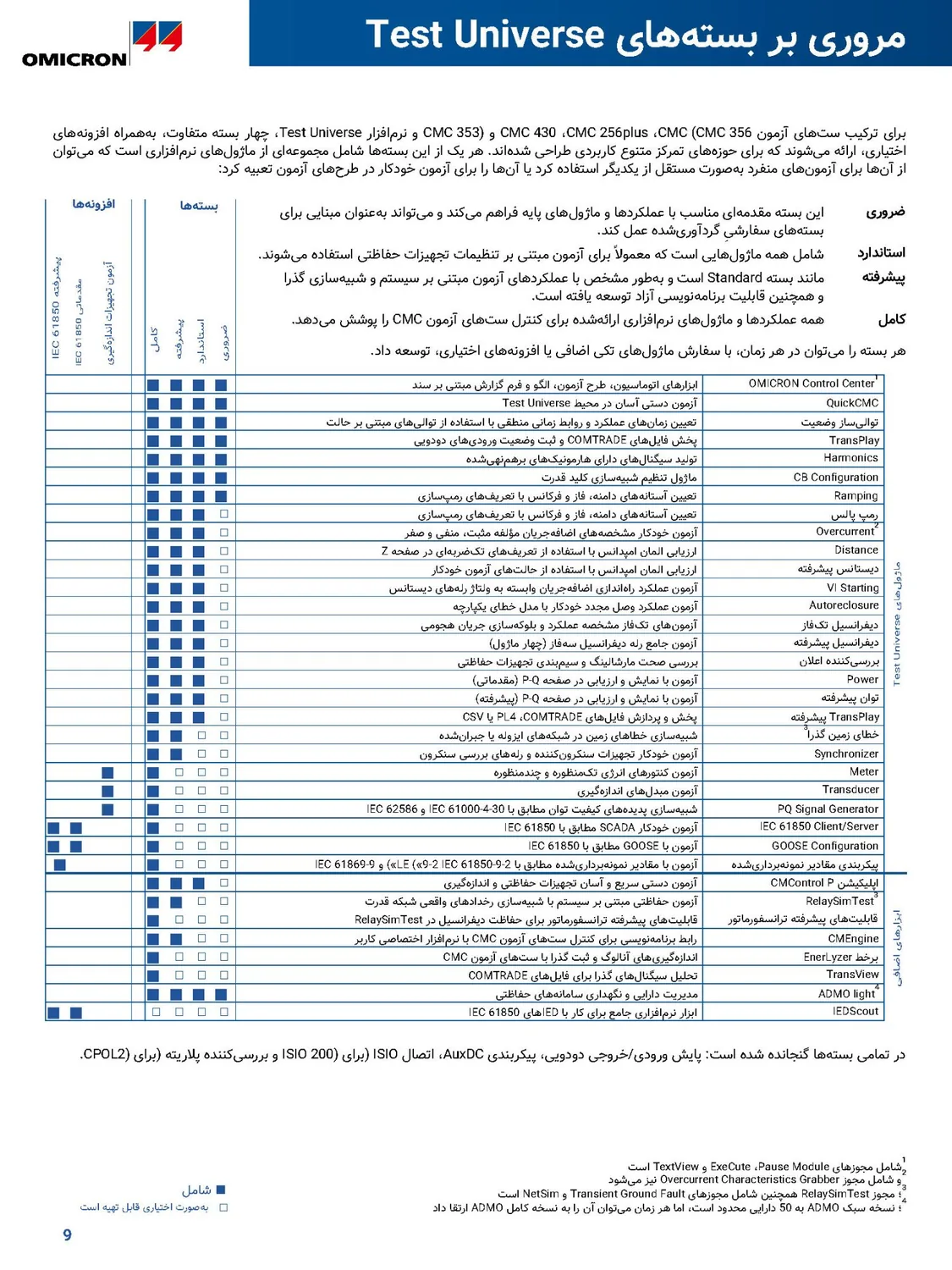
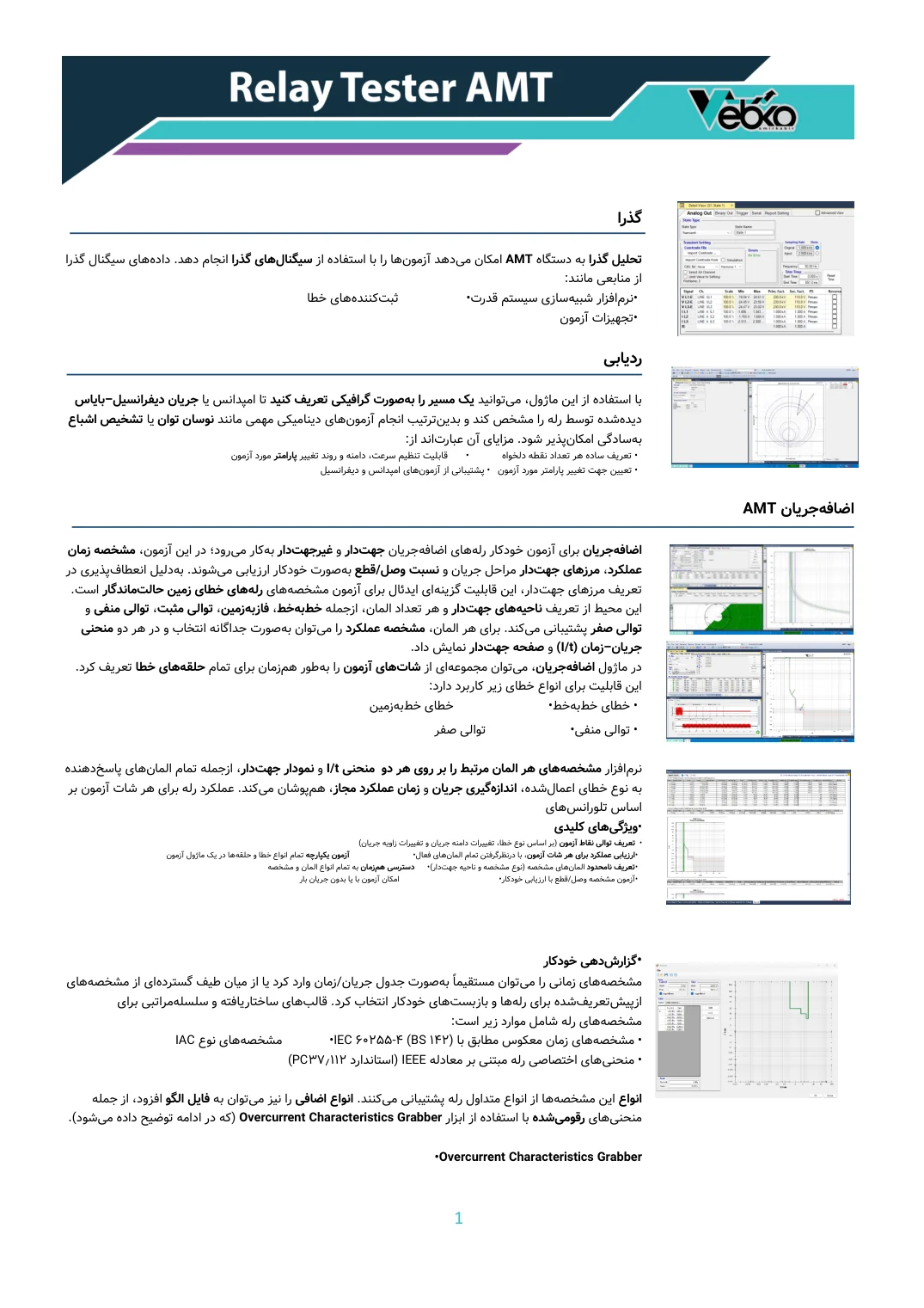
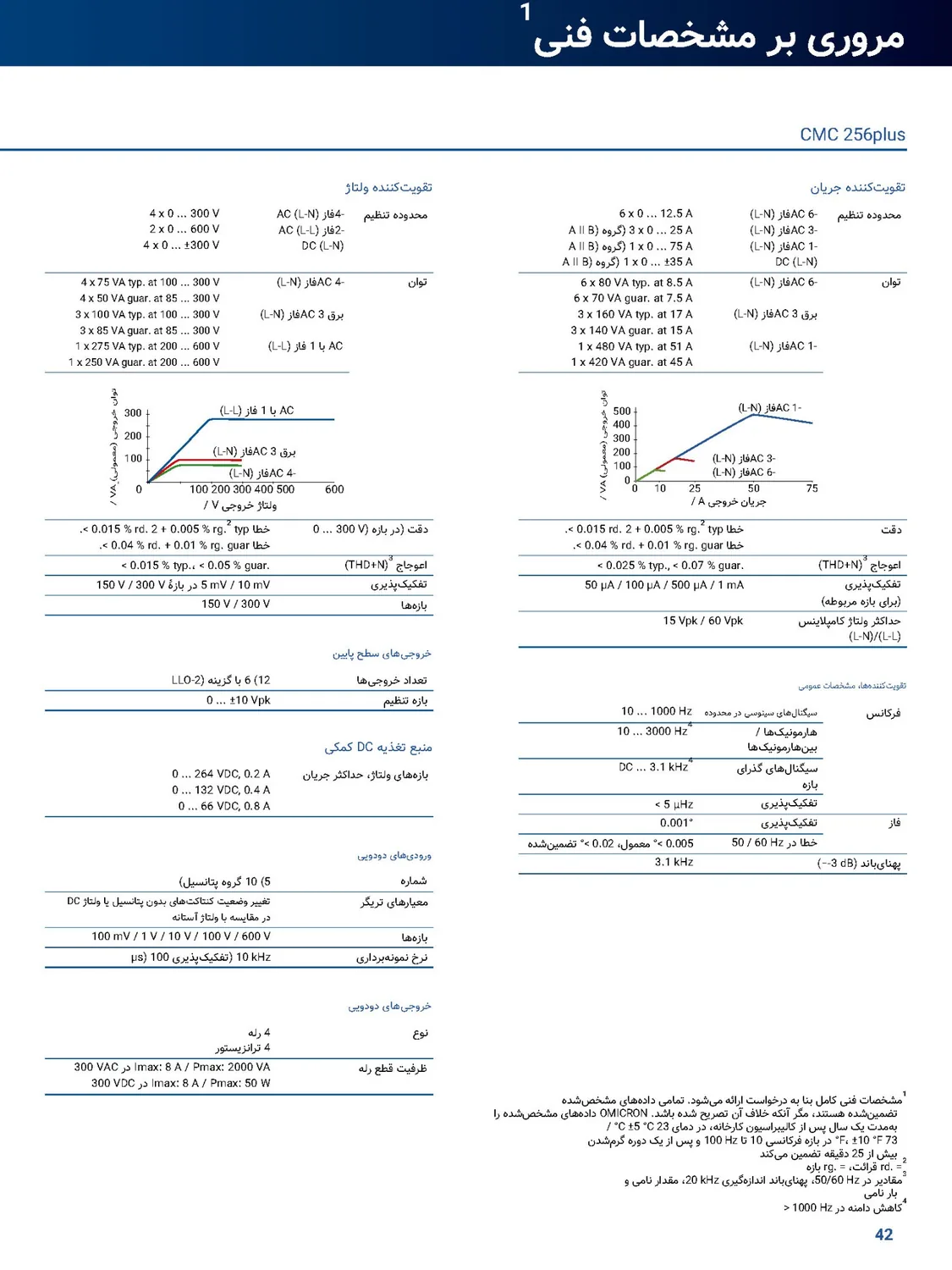
The original layout, untouched
The document isn't rebuilt: the translation sits on the PDF's own page or inside the same Word or PowerPoint file. Pictures, tables, colours and layout stay as they were, and Word and PowerPoint files stay editable.
A machine translator translates text; Goftito translates documents. The translating is done by AI, but before and after it the Goftito engine reads the file's structure, checks every figure and reference against the original, repairs what is wrong on its own and hands the file back in its own layout.
AI is only one of these five steps; the other four are the Goftito engine's work.
The document is broken into small pieces, and each one's place, style and role (heading, table cell, footnote, figure label) is recorded. Scanned pages and the text inside pictures are read too.
The pieces of a paragraph go to the AI together, with the paragraphs around them, so sentences come out whole and fluent rather than word by word. Your glossary and the translation mode are followed.
Every passage is checked against its original: figures, references, web addresses, emails and identifiers must match, and a passage left empty, untranslated or repeated is found too.
A faulty passage is translated again with its exact problem spelled out, and the new version replaces the old only if it is better.
The translation is written where the original text was, and the file comes back in its own format. When the writing direction changes, the layout is mirrored too.
The document isn't rebuilt: the translation sits on the PDF's own page or inside the same Word or PowerPoint file. Pictures, tables, colours and layout stay as they were, and Word and PowerPoint files stay editable.
From English into Persian or Arabic and back, table columns and the places of pictures are mirrored too; the pictures themselves are never flipped.
Figures, references, addresses and emails are compared with the original, and a faulty passage is translated again before delivery.
Text you translated once comes back from memory in your next document, even in another format; a paragraph fully in memory isn't charged again.
Scanned pages and the text inside pictures are read and translated like the rest of the document.
Your glossary's terms are followed, and the translation mode (technical, medical, legal, academic and more) uses that field's own language.
 Goftito
Short answers to the questions people ask most.
They translate text; Goftito translates documents. The file's structure is read, every paragraph is translated in context, figures, references and names are checked against the original, problems are repaired automatically, and the file comes back in its own layout.
It does; the text is translated by AI language models. The difference is the work before and after: on its own, AI neither keeps the file's layout nor sees its own mistakes, and those two jobs are the Goftito engine's.
Figures, references such as [4], web addresses, emails and identifiers must be the same in the translation, and a passage left empty, untranslated, repeated or carrying its neighbour's text is found. Formulas are protected from the start, and every faulty passage is translated again automatically.
For most business, technical and scientific documents it gives a finished result. For text that will be published or has legal weight, we recommend having a specialist in the field read it once, and a certified translation is only ever the work of a certified translation office.
PDF (text and scanned), Word, PowerPoint, images (JPG, PNG, WEBP and TIFF), SRT and VTT subtitles, and text you paste on the page.
Most documents are ready in minutes, and long or scanned ones take longer. You can follow the progress, and the translation carries on if you close the page.
10 languages: English, Persian, German, Spanish, French, Italian, Dutch, Russian, Arabic and Turkish, from any of them into any other. When the writing direction changes, for example from English into Persian or Arabic, the document's layout is mirrored too.
The cost is estimated before it starts, and when it finishes only what was actually used comes off your credit. Text you translated before comes back from your translation memory and isn't charged again.
Upload a file and see the estimated cost before any credit is spent.