GUIDE · SUBTITLES

Subtitle a training video, from its speech to an SRT file.

You have a training video in English, perhaps a course you made yourself or a guide to working with a device, and you want people who speak another language to follow it. Subtitles are the cheapest way, but typing the text and timing hundreds of subtitles by hand takes days. This guide covers the three steps: speech to text, translation on the same timings, and putting the subtitles on the video.

What makes a good subtitle?

A subtitle file (SRT or VTT) is a list of short lines, each with its own number and start and end time, and the player shows each one for those few seconds. A good subtitle has three things:

  • The right timing: each line appears when it is spoken, not earlier and not later.
  • Short lines: usually no more than two lines of about forty characters, so viewers can read them in those few seconds.
  • The right terms and figures: in a training video, button names, figures and units are what viewers see on the screen or the device.

That is also where translating subtitles gets hard. A sentence the original splits across two subtitles has to stay across the same two in the translation, and the translation, which isn't the same length, has to be broken into short lines again. Online translators translate each line on its own and know nothing about the timings.

Three steps, from the video to translated subtitles

  1. No subtitles yet? Turn the speech into text

    In Goftito's voice studio, open the speech-to-text tool and upload the video or just its audio (up to 50 MB). The text comes back with the time of every word, and you download it as an SRT subtitle. If the video has several speakers, turn on telling the speakers apart.

  2. Translate the SRT file

    Upload that file in "New translation" and choose the target language. Every subtitle is translated with the ones around it so the sentences come out right, each one's number and timing stay exactly as they were, and the lines are broken again, at most 42 characters each.

  3. Put the subtitles on the video

    Most players pick up an SRT file next to the video when it has the video's name (lesson-1.mp4 and lesson-1.srt, say). Video sites and editing software usually accept SRT files too; to burn the subtitles into the picture, do it in your own editing software.

A real example: three subtitles of a technical training video

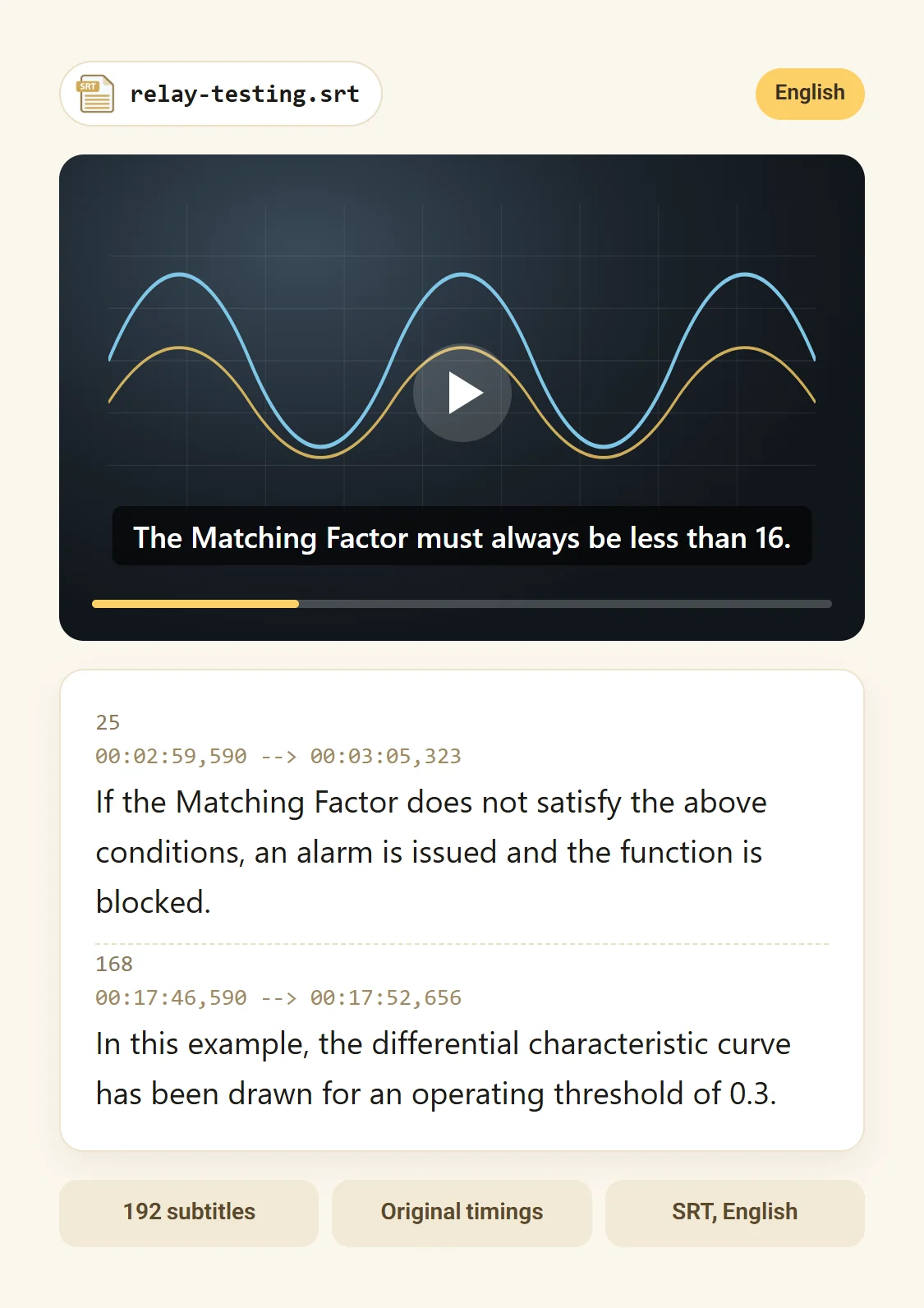
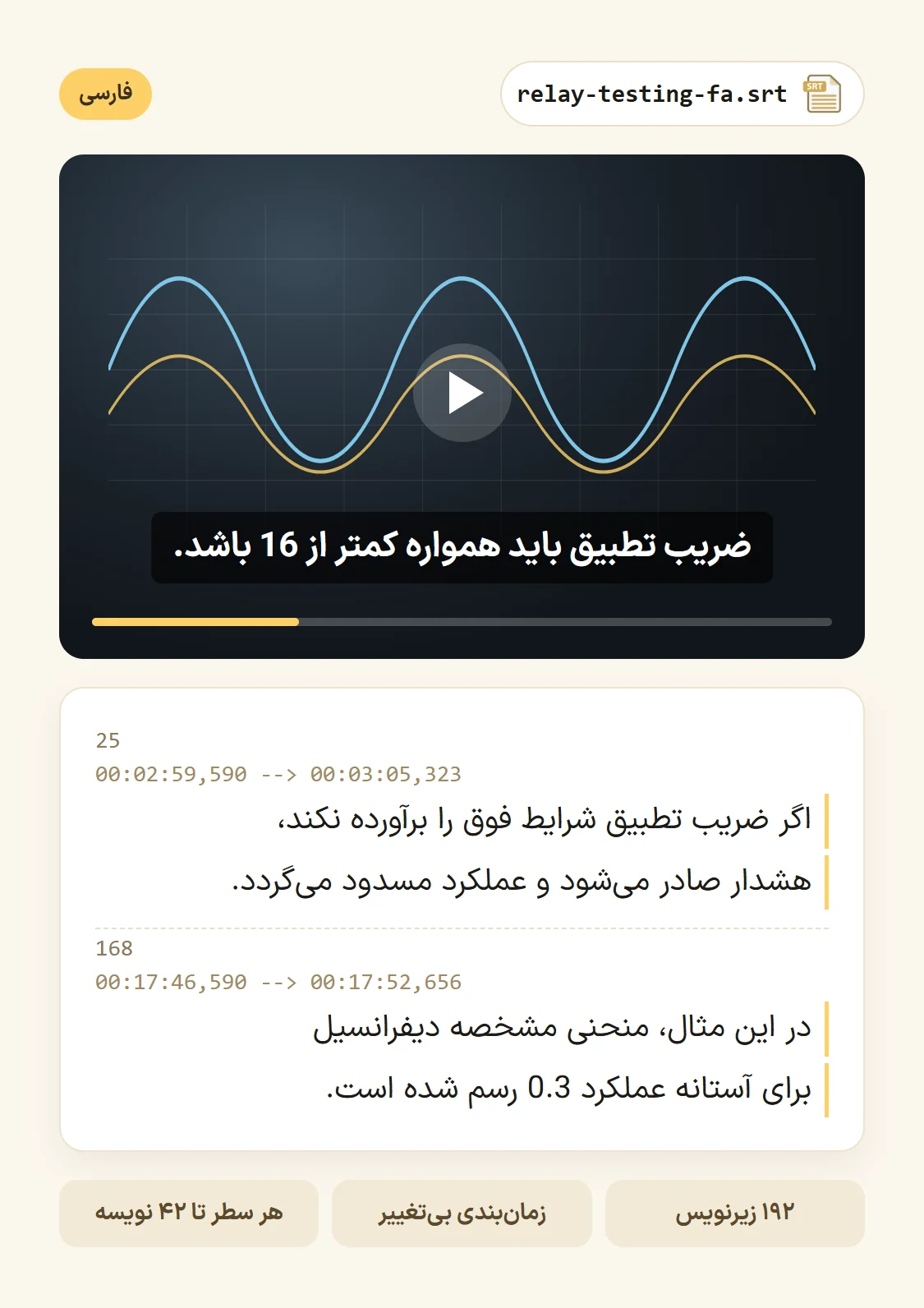
These subtitles come from the real file of a power-protection training video (192 subtitles), exactly as Goftito delivered them: the timings are the same, a long one-line sentence of the original is broken into short lines, and names like Isp and 3I0 stay where they were. The number beside each line is its length in characters.

25 One line of 109 characters, two of 41 00:02:59,590 --> 00:03:05,323 EN FA
Original · English · relay-testing.srt
25 00:02:59,590 --> 00:03:05,323If the Matching Factor does not satisfy the above conditions, an alarm is issued and the function is blocked. 109
Translation · Persian · relay-testing-fa.srt
25 00:02:59,590 --> 00:03:05,323unchangedاگر ضریب تطبیق شرایط فوق را برآورده نکند، 41هشدار صادر می‌شود و عملکرد مسدود می‌گردد. 41
53 Names kept, a third line when needed 00:05:38,123 --> 00:05:47,190 EN FA
Original · English · relay-testing.srt
53 00:05:38,123 --> 00:05:47,190In this process, the only operate current is Isp, while 3I0 is used to determine whether the system fault is internal or external. 130
Translation · Persian · relay-testing-fa.srt
53 00:05:38,123 --> 00:05:47,190unchangedدر این فرایند، تنها جریان عملکرد، Isp است 41و 3I0 برای تعیین داخلی یا خارجی بودن خطای 41سیستم به کار می‌رود. 20
168 Numbers and terms in place 00:17:46,590 --> 00:17:52,656 EN FA
Original · English · relay-testing.srt
168 00:17:46,590 --> 00:17:52,656In this example, the differential characteristic curve has been drawn for an operating threshold of 0.3. 104
Translation · Persian · relay-testing-fa.srt
168 00:17:46,590 --> 00:17:52,656unchangedدر این مثال، منحنی مشخصه دیفرانسیل 34برای آستانه عملکرد 0.3 رسم شده است. 35

Before publishing: a subtitle checklist

  • Watch the subtitles on the video, not only in the file: a few minutes from the start, the middle and the end.
  • Do button, menu and device names match what is on screen?
  • Figures and units: check a few figures against what is said.
  • Are terms the same throughout? For a course of several videos, build a glossary.
  • A subtitle that comes too early or late: if the original file had it so, so does the translation, since timings don't change.
  • In your own player, do right-to-left lines start on the right, with figures and units the right way round?
COMPARISON

Three ways to subtitle a video

Traditional translationFree online translator Goftito
The spoken text Traditional Usually by listening and typing. Free online translator You have to find or type the text yourself. Goftito Speech to text, with the time of every word, in minutes.
Timings Traditional Set by hand. Free online translator Copied text is translated and the timings have to be put back by hand. Goftito Every subtitle keeps its number and timing.
Line length Traditional Up to the subtitler. Free online translator However long the translation comes out. Goftito Broken again, at most 42 characters a line.
A sentence across two subtitles Traditional The translator sees the whole sentence. Free online translator Each line is often translated alone and the sentence breaks. Goftito Every subtitle is translated with the ones around it.
Time and cost Traditional Usually a few days, depending on the video's length; the price comes after a quote. Free online translator Instant and free, with a lot of manual work. Goftito Usually minutes; the cost is estimated before it starts.
Feature films and comedy Traditional A job for an experienced subtitler. Free online translator No. Goftito For wordplay and jokes, have a subtitler read it through.

See how smart translation compares with traditional and online translation

FAQ

Questions people ask about subtitles

Short answers to the questions people ask most.

Didn't find your answer? After signing in, open a support ticket; we'll text you when it's answered. Open a ticket
01 Does it accept VTT files?

Yes, SRT and VTT. The result comes back in the same format.

02 Won't the subtitle timings break?

No. Only the text changes; every subtitle's number, start and end time and position settings stay as they were.

03 Does it turn a long video into text?

Files up to 50 MB are accepted, so for a long video upload just its audio. If a file is longer than the studio allows, you are told right there, before anything is charged.

04 Does it burn the subtitles into the picture?

No; the result is a subtitle file. To burn it in, add the file to the video in your editing software.

05 Does it translate into other languages too?

Yes, into every language Goftito offers, English, Arabic and Turkish among them. Arabic subtitles are written right to left as Persian ones are.

Translation languages

06 How much does it cost?

A subtitle translation is estimated before it starts like any document, and speech to text is charged by the minute; both costs are on screen before you start, and only what is used comes off your credit.

Packages and prices

READY?

Subtitle your next video

Turn the video's speech into an SRT file, translate that file and get the subtitles back on the same timings.