

Why does a paper fall apart in an ordinary translator?
A PDF is made for printing, not for reading. The file only says where each letter sits on the page; nowhere does it say which line continues which, which number belongs to which table cell or where a formula begins. Copying the text loses exactly that, and the translator receives text that is already broken:
- The paper's two columns run together: half a line from the left column ends up next to half a line from the right.
- A table becomes a string of numbers, and nothing says which row and column each one belonged to.
- Formulas are set in mathematical fonts; copied, they often turn into odd characters, and powers and subscripts are lost (x² becomes x2).
- A word hyphenated at the end of a line falls in two, and a footnote mark sticks to the next word.
- In a right-to-left language, numbers, brackets and Latin names that aren't kept apart properly show up reversed.
That is why a better translator doesn't solve it. Even the most accurate translation of broken text is broken. The answer is to read the document as it is: line by line, cell by cell, with where everything sits on the page.
What must not be translated in a paper?
A large part of a research paper isn't prose at all and must stay exactly as it is; it is also where reviewers and supervisors look first:
- Formulas and mathematical and statistical symbols: α, β, χ², p < 0.05
- Figures and statistics: means, standard deviations, 95% CI, RR = 1.211
- In-text citations such as [12] or (Smith et al., 2020), and figure and table numbers
- The names of authors, databases and software: Scopus, PubMed, SPSS
- Units and symbols of measurement: mg/kg, kV and mmHg
And two things must be translated precisely, not freely: the field's own terms (a scoping review has a fixed name in every language, not a word-for-word rendering) and the degree of certainty. If the author wrote "may" or "suggests", the translation must not say "proves".
Translating a paper with Goftito, step by step
Goftito reads a paper as a document, not as text. There are five steps for you:
-
Pick the right file
The best file is the PDF you downloaded from the journal. If you can select its text, it is a text PDF; if not, it is a scan and is read page by page. If you have the Word file and want to edit the translation, upload the Word file.
-
Choose the academic mode
This mode uses the field's own terms and keeps the certainty of each sentence. If your supervisor wants a particular equivalent for a term, put it in your own glossary so it is translated the same way throughout.
-
See the estimate
Before it starts you see the size and the approximate cost; when it is done, only what was actually used comes off your credit.
-
The translation checks itself
Each paragraph is translated as a whole so the sentences read naturally. Then figures, citations and addresses are compared with the source, and a passage with a problem is repaired automatically before delivery.
-
Get the paper back with the same pages
The PDF comes back with the same pages; into a right-to-left language the text is set right-to-left, table columns read from the right, pictures move to the mirrored side and formulas stay where they were. Chart labels and flowchart boxes are translated on the figure itself.
A real example: three pages of a review paper
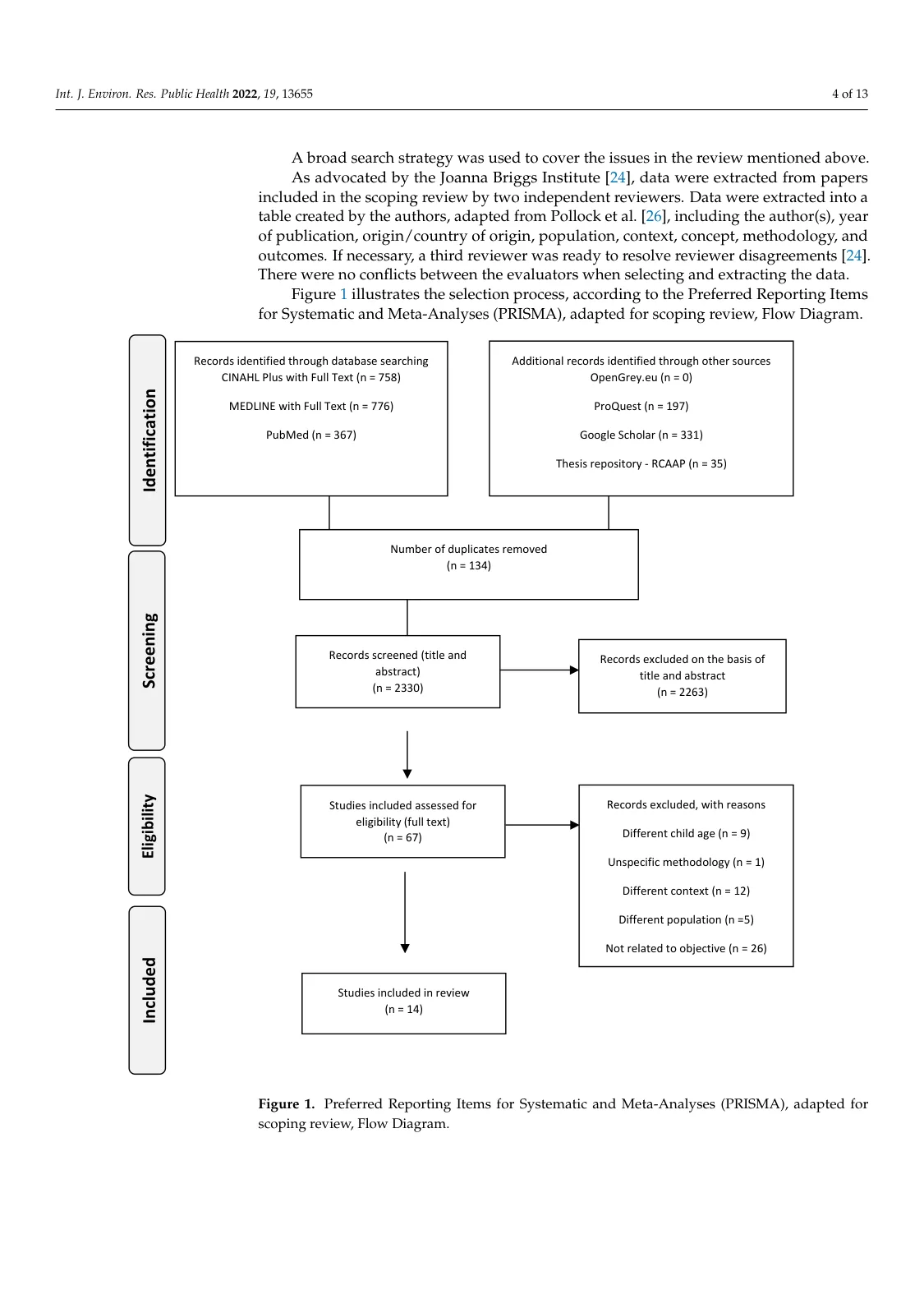
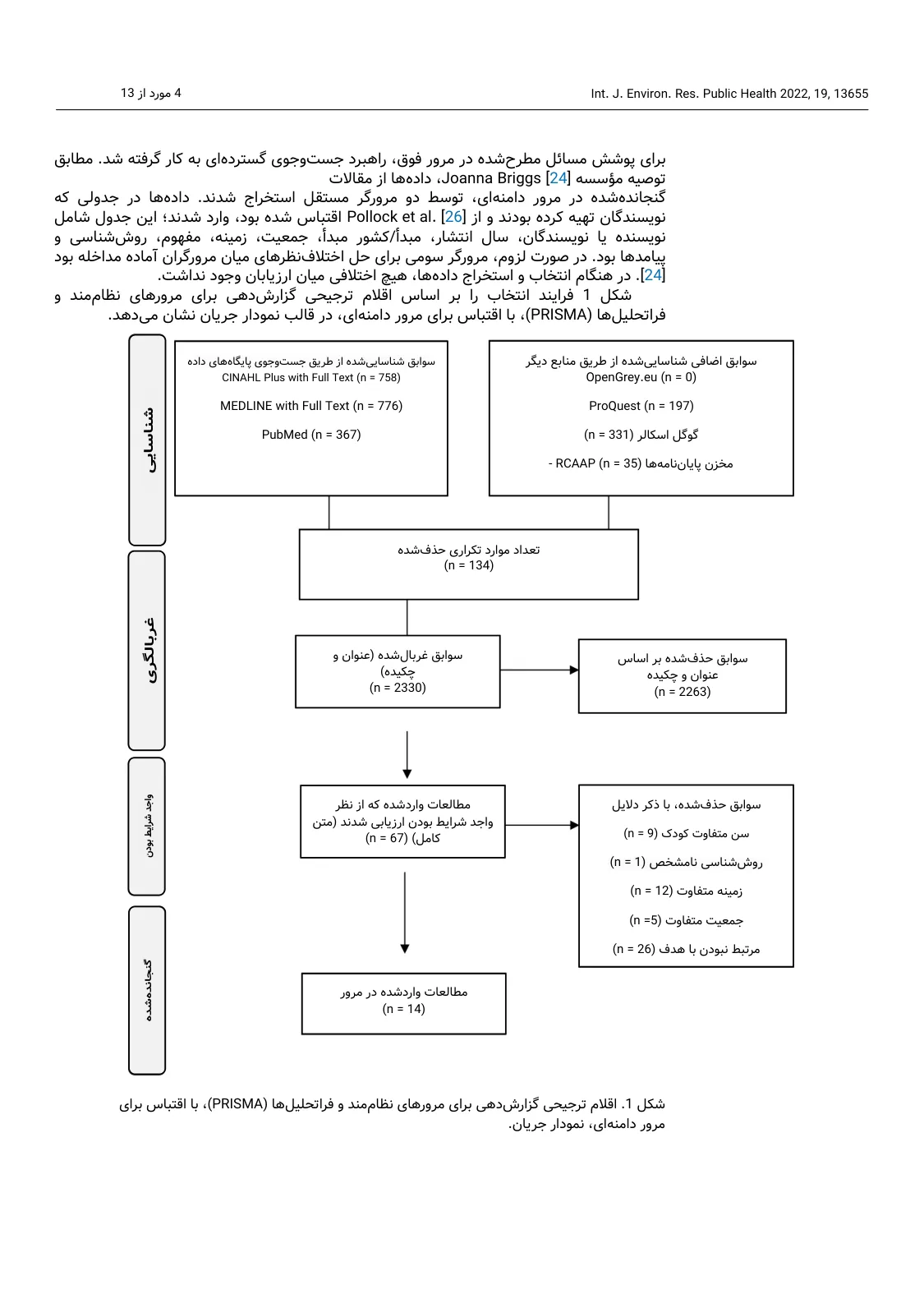
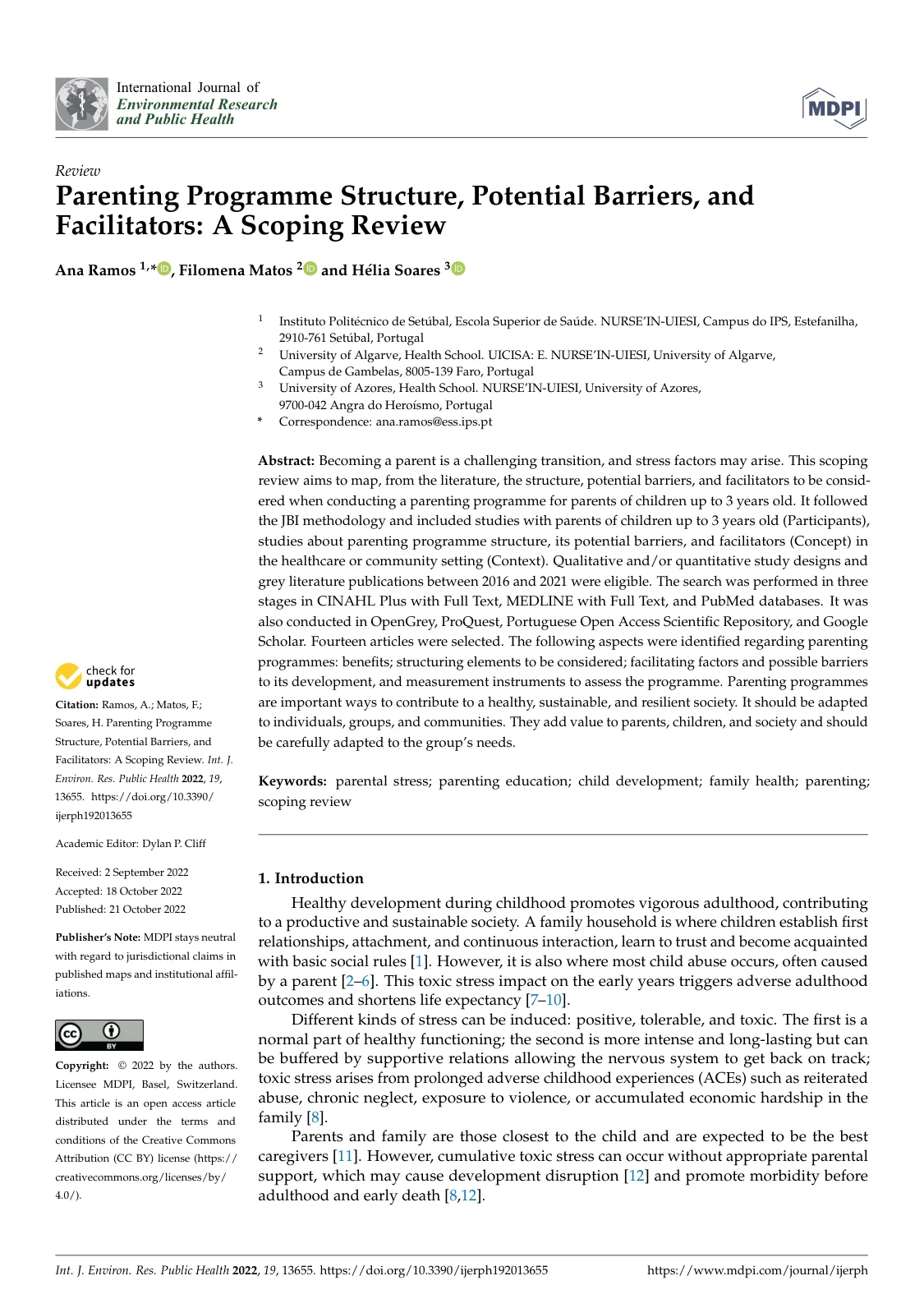
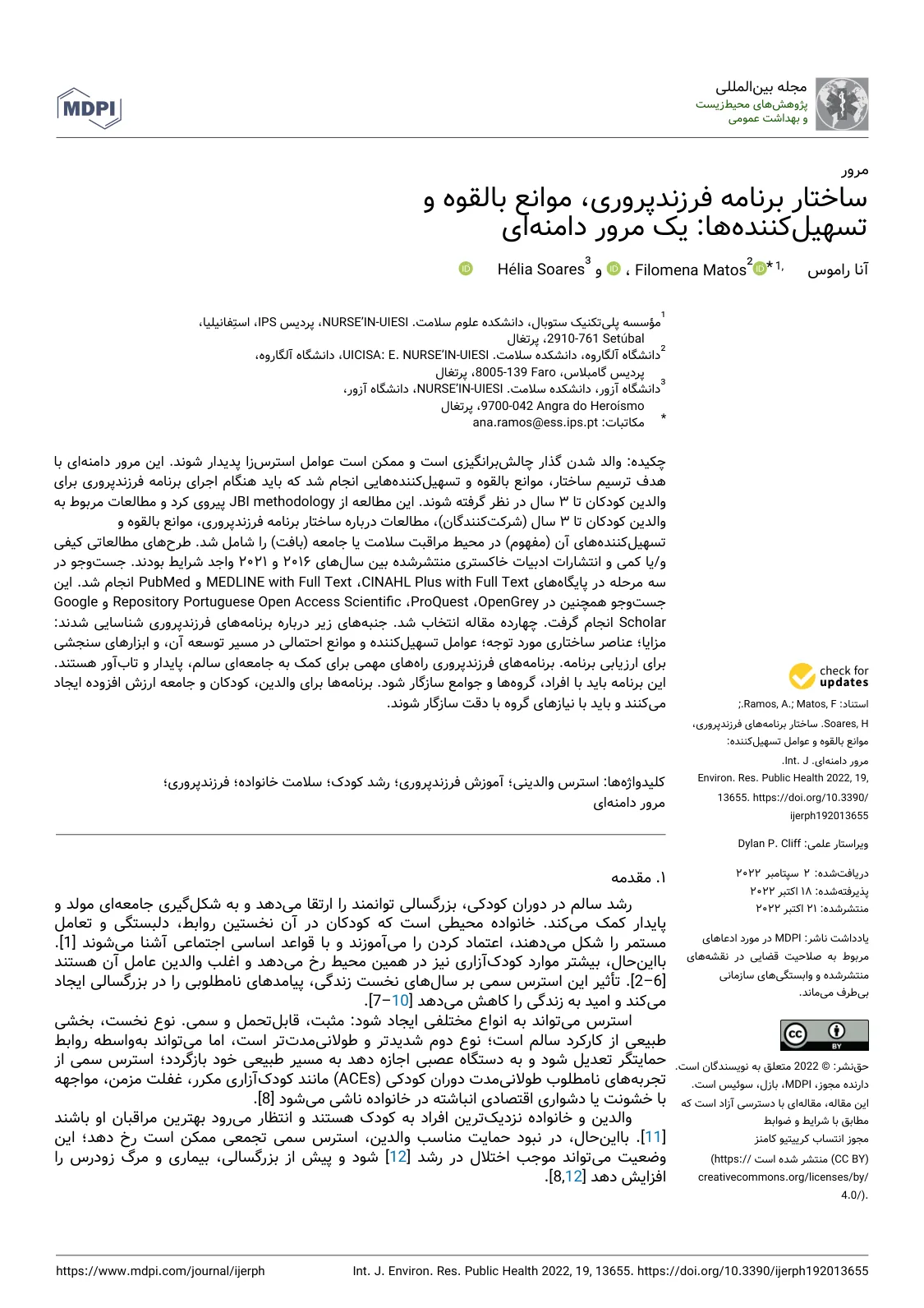
These three pages are exactly what Goftito delivered for an English review paper (the open-access paper by Ramos, Matos and Soares, 2022, under CC BY 4.0). Drag the handle on each page to compare the original with the translation: the flowchart with all its boxes, the first page with its title and abstract, and a table whose columns now read from the right.
 English
Persian
A page of a review paper with its source-selection flowchart: every box and stage label is in Persian, the counts and database names are unchanged, and the paragraph above the figure is set right-to-left.
 English
Persian
The same paper's first page: the title and abstract are in Persian and set right-to-left, the authors' and databases' names are kept, and the side column with its dates moved to the right.
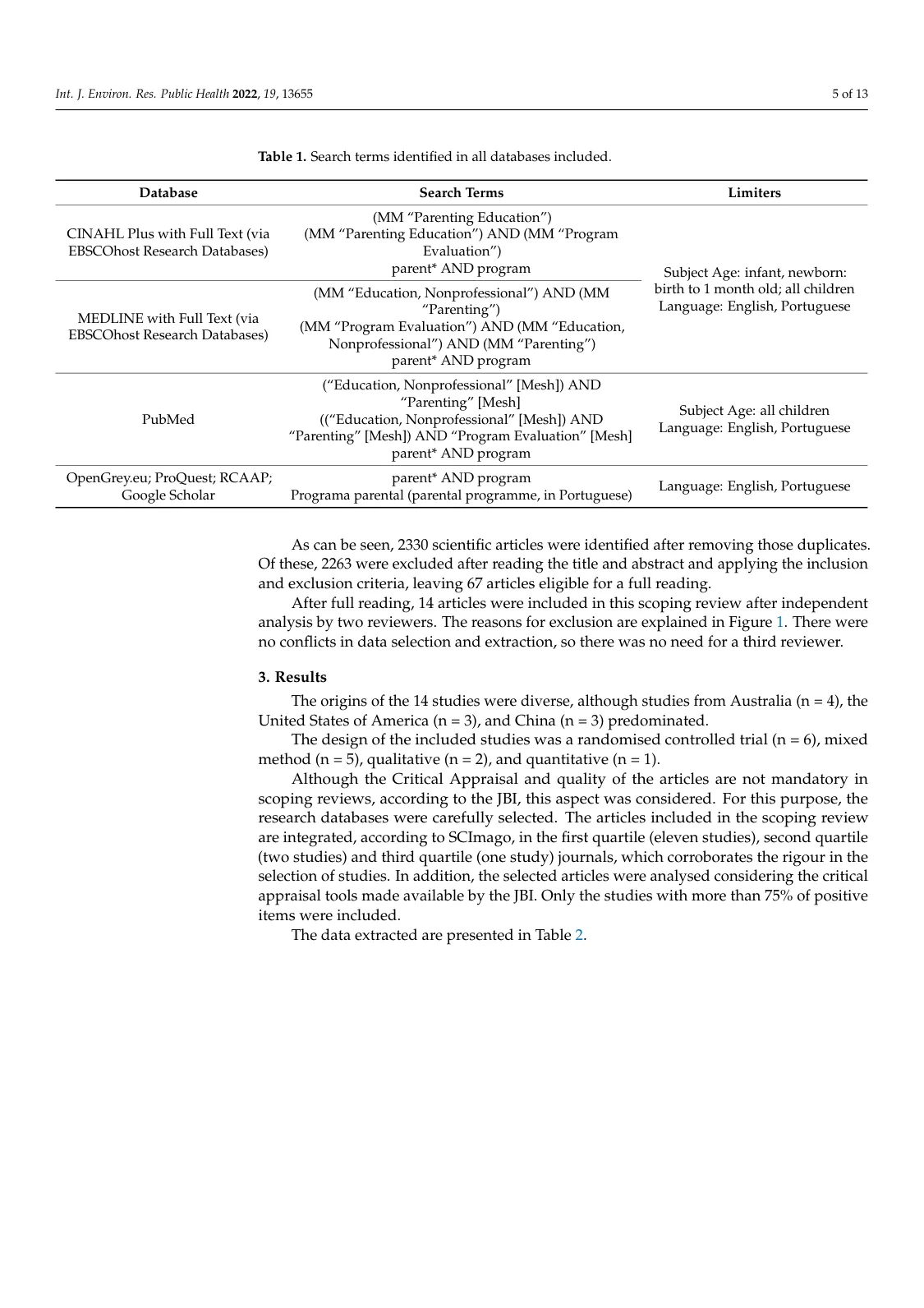
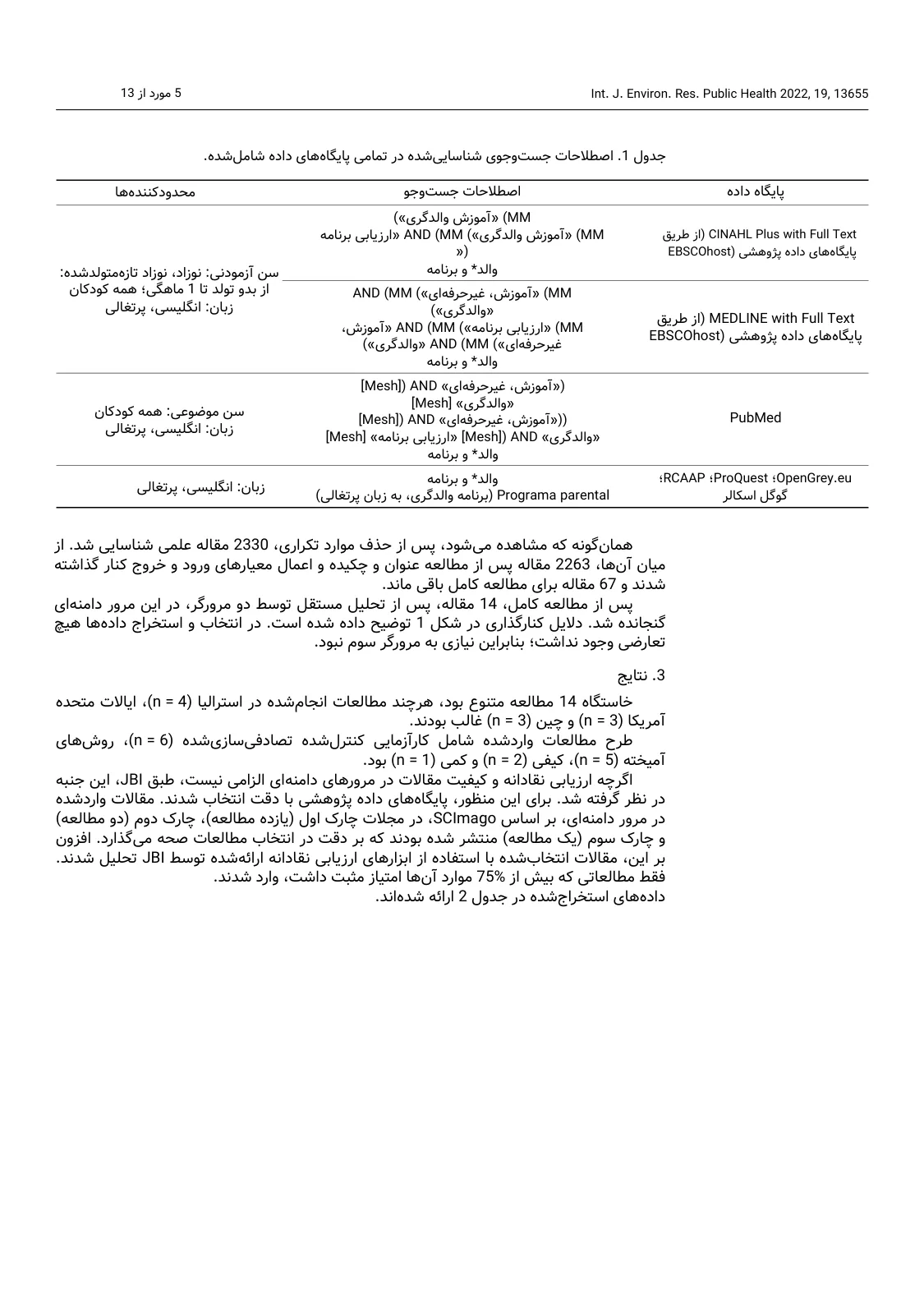 English
Persian
The same paper's table of search terms: the columns now read from the right, search operators such as AND and database names are kept, and the figures in the paragraph below the table are unchanged.
After translating: a review checklist
No translation, human or machine, replaces the author's own eye. Before you hand it to your supervisor or submit it to a journal, look at these six things:
- The title and abstract: the shortest and most important parts; read them aloud once.
- Key terms: are they translated the same way throughout?
- Tables and figures: compare a few numbers with the original.
- Figures: are the labels and captions translated and legible?
- Names and references: do the authors' names, years and DOIs in the reference list match the original?
- Discussion and conclusion: do the main sentences keep the original's degree of certainty?